/page metadata
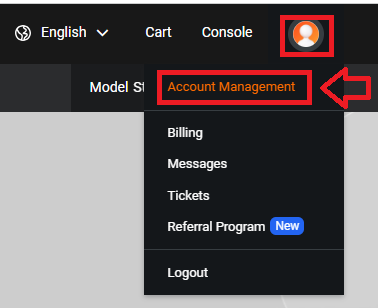
/page metadataSign in to your Alibaba Cloud account,, after logging in click on your user icon then select "Account Management";
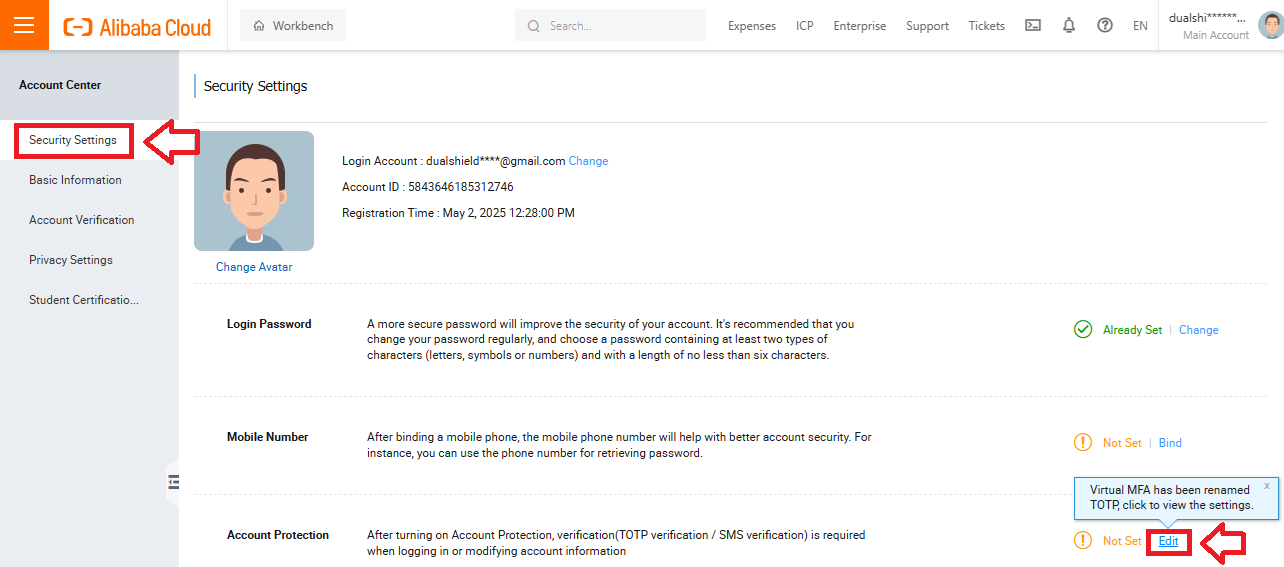
A new window will open titled "Security Settings".
In the section "Security Settings", and against "Account Protection", click on the "Edit" link (see example below);
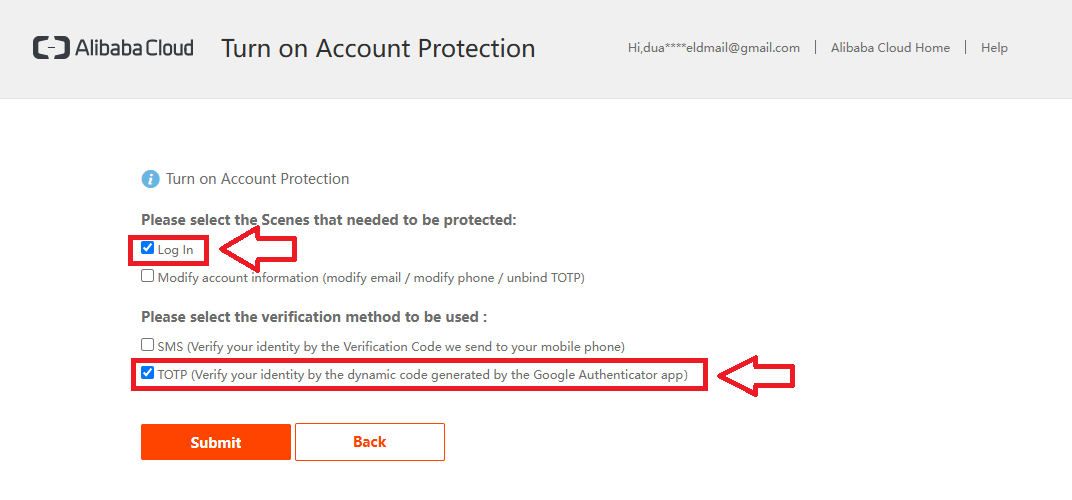
A new window titled "Turn on Account Protection"will open, tick the option "Log In" and "TOTP" (Examples below), then click  ;
;
You will now be presented with a message checking where the verification is to be sent to - check the email address then click on 

A confirmation email will be sent to your email account (example below);
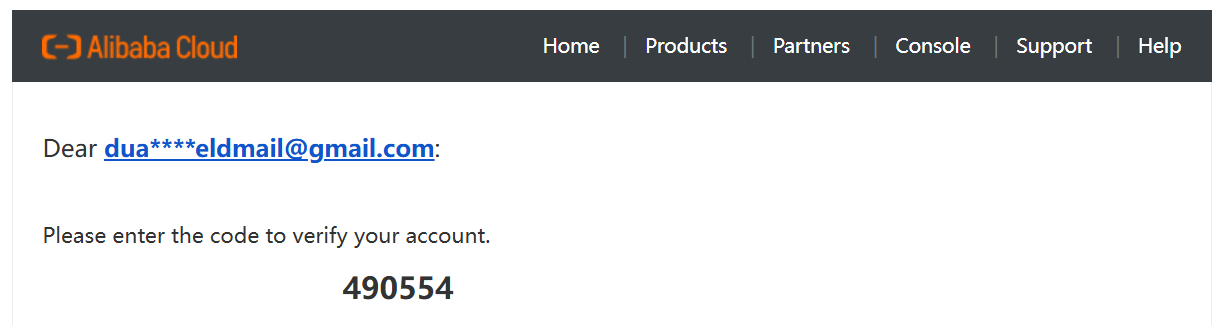
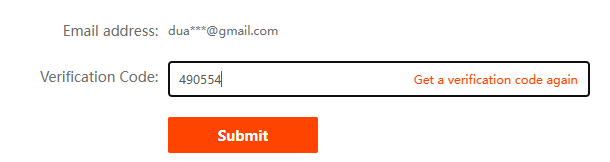
Copy this code to the prompt on your console and click 
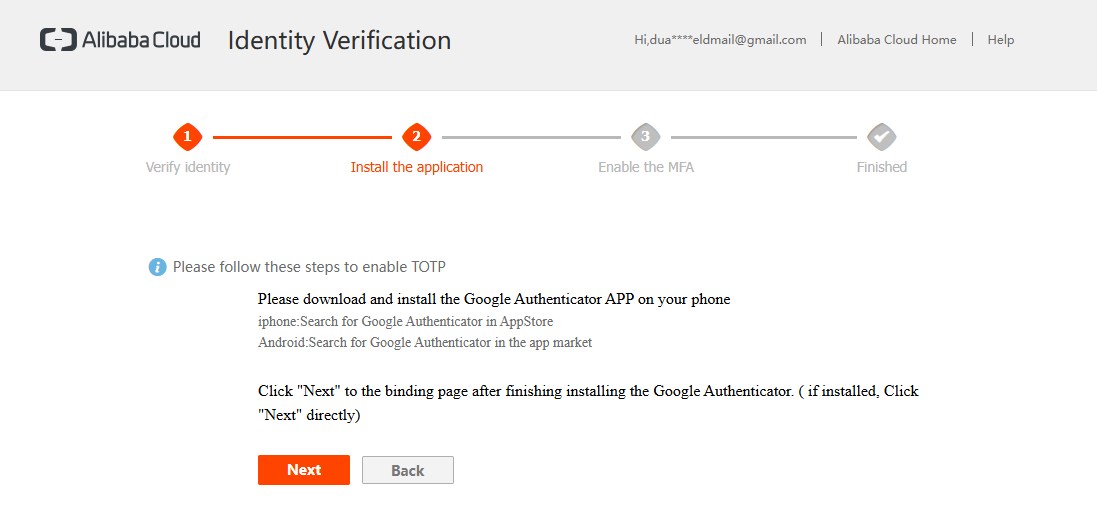
You will now be prompted to download and install google authenticator, but you will not need to use this app as we will programming our hardware token instead;
Click  , and you will find a QR code has been provided;
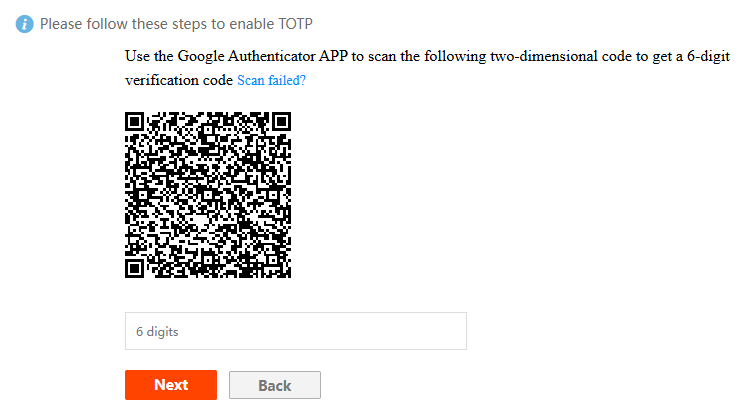
You can now use this QR code to program our programmable tokens using the instructions found in the following procedure;
Once you have programmed your token you will need to verify it with Alibaba.
Obtain the requested 6-digit code from your programmable token and enter it into the field below the QR code, then click 
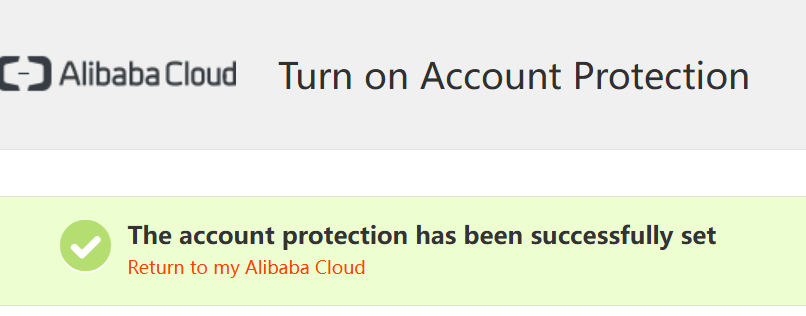
You will then see confirmation that 2fa has been enabled on your Alibaba account, and the hardware token can now be used when accessing the account;