 button;
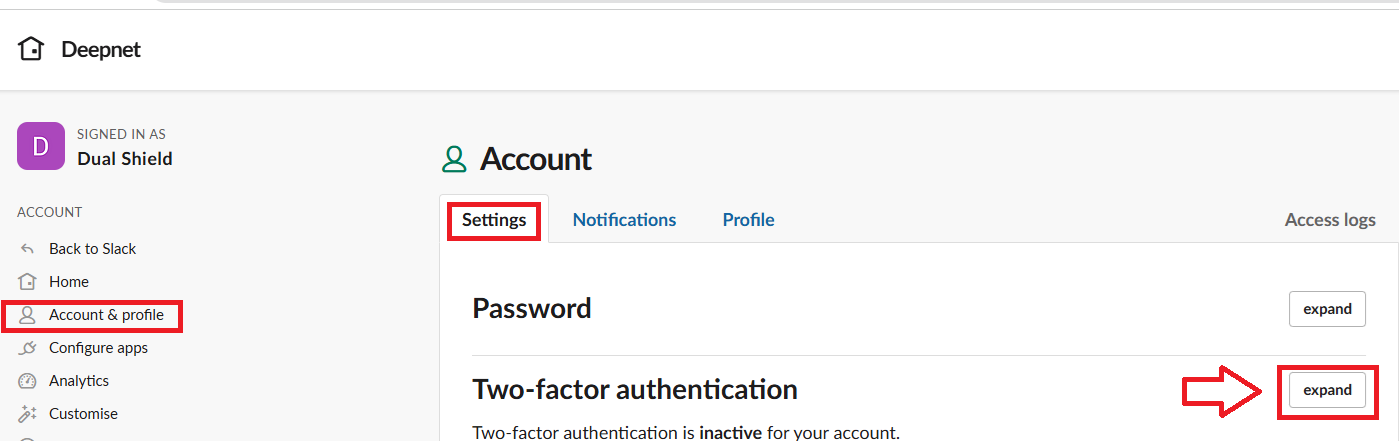
Sign in to the you slack workspace,, then visit the account page at my.slack.com/account/settings.
Select "Account & Profile", then from the "Settings" tab, against the "Two-factor authentication" prompt, click on the button;
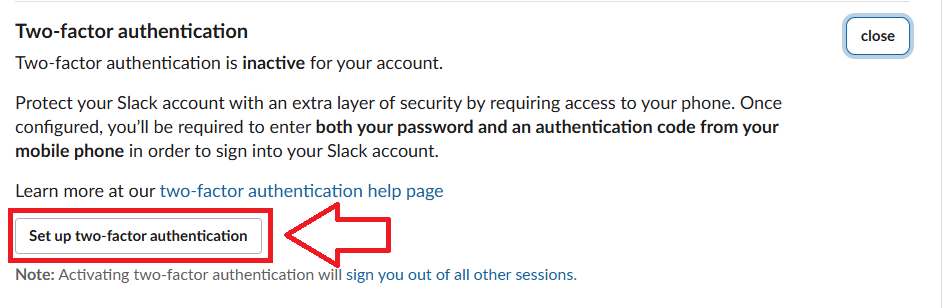
Next click on the  button;
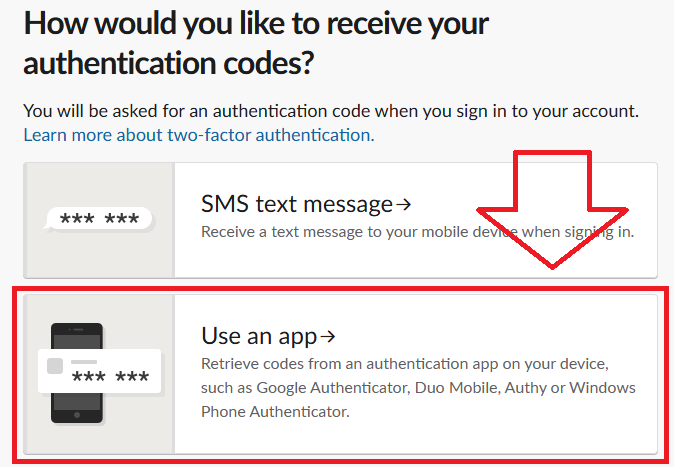
A new window will now open requesting the authentication method type to be used, select "Use an app";
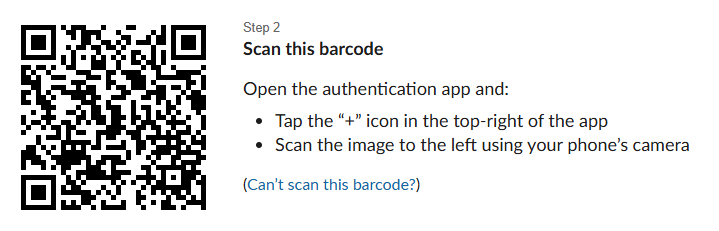
Amongst the things displayed you will find a QR code has been provided;
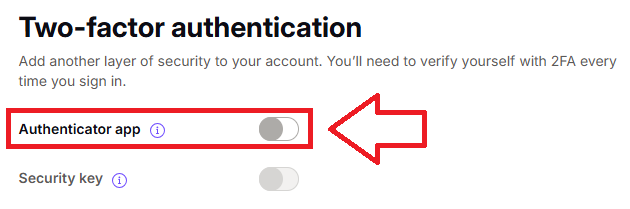
Then scroll down to the section "Two-factor authentication", and at the prompt "Authentication app", enable this feature by clicking on the slider (indicated below);
A window will now open requesting your password;
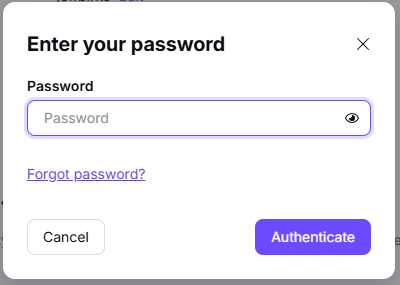
Supply your proton mail password, then click  .
.
A new window titled "Set up two-factor authentication" will now open;
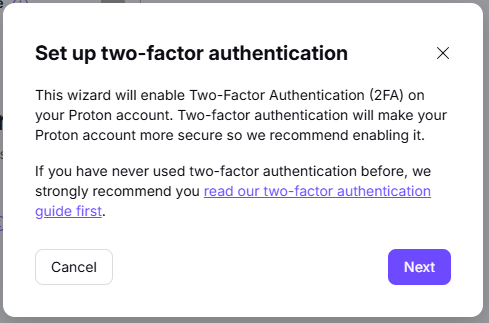
Click  , and you will be presented with a QR code;
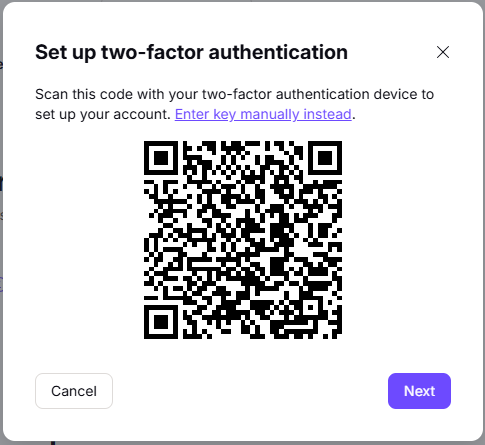
You can use the QR code to program our programmable tokens using the instructions found in the following procedure;
Once you have programmed your token you will need to verify it with Slack.
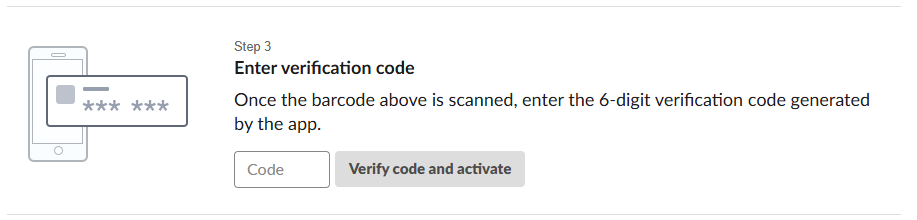
Scroll down to step 3, then enter an OTP code from your newly programmed token, then click on  ;
;
You will then be asked to supply a backup phone number, enter the number then click  , then verify the code they send to your phone.
You will then be provided with a list of backup codes (make a note of these codes as they can be used later).
You are now ready to use your programmable token as an OTP source when you next log in to your slack account.