IntroductionFacebook is a social networking service owned by Meta Platforms (formerly Facebook, Inc.) that allows users to connect with friends, family, and other individuals or groups. It provides various features for sharing content, engaging in discussions, and building communities. Facebook two-factor authentication (2FA) is a security feature that adds an extra layer of protection to your account by requiring you to enter a code, in addition to your password, when logging in from a new or unrecognized device. This code is typically sent to your phone via SMS or generated by a third-party authentication app. Our range of programmable tokens can be used as one of these factors when logging in to Facebook (with MFA enabled). |
|
Using Programmable tokens with Facebook
Log in to your Facebook account, expand your profile, then select the option 'Settings & privacy";
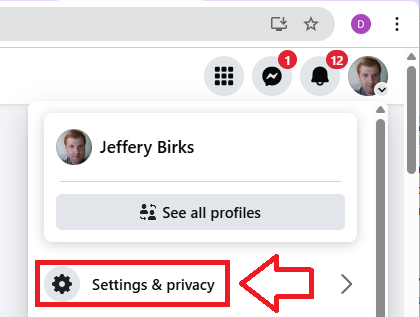
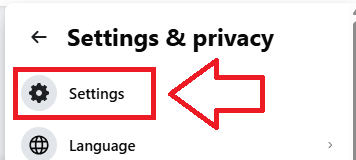
A new window will open titled "Settings & Privacy", select the options "Settings";
In the left hand column of your page you will be presented with privacy options, select "Password and security";
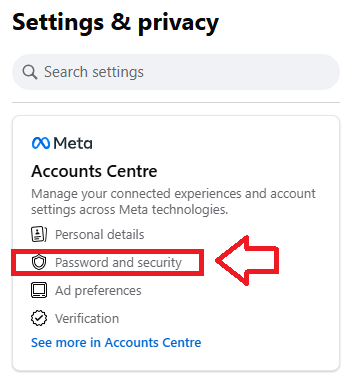
In the "Accounts Centre" section, select the option "Password and security";
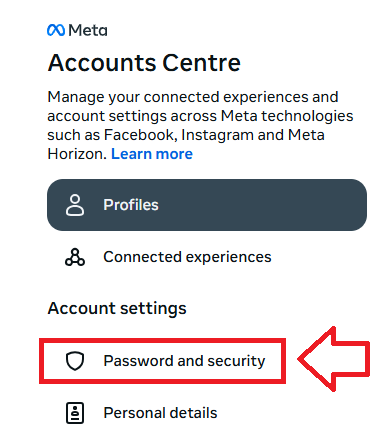
Then select "Two-factor authentication";
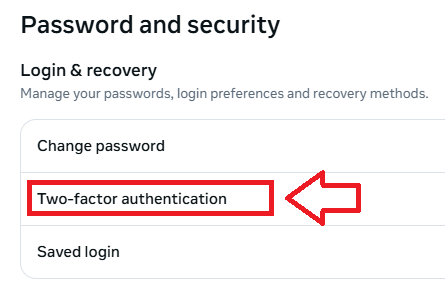
A new window will now open titled "Two-factor authentication;
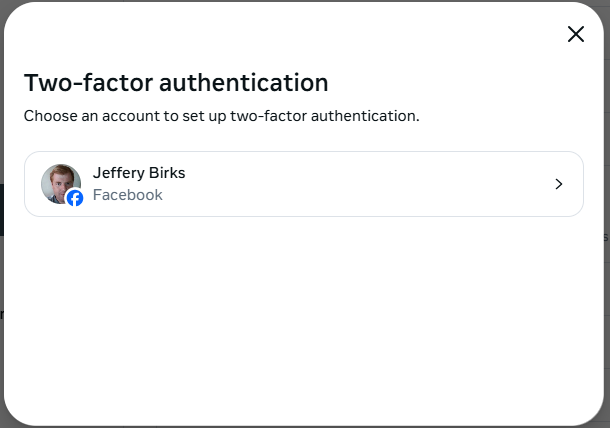
select the account to be 2fa protected, and a code will be sent to your WhatsApp account.
Obtain and enter your security code and you will be provided with options for adding additional factors to your account security;.
In order to add your programmable token, select the option "Authentication app", then click  ;
;
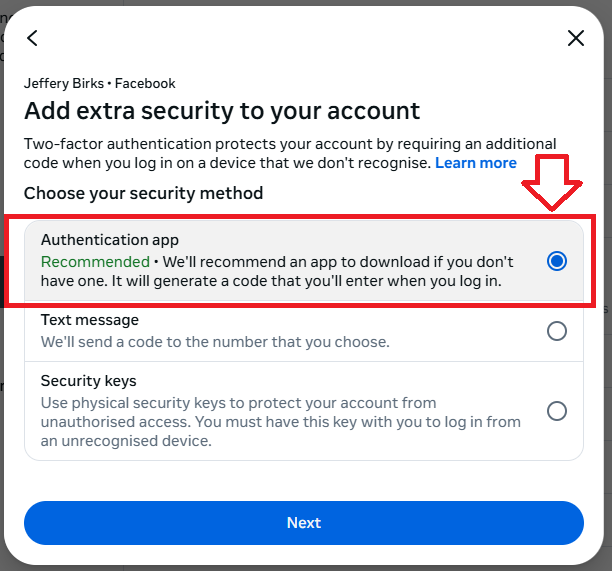
You will then be provided with instructions that would normally be used to add a token to an authentication app;
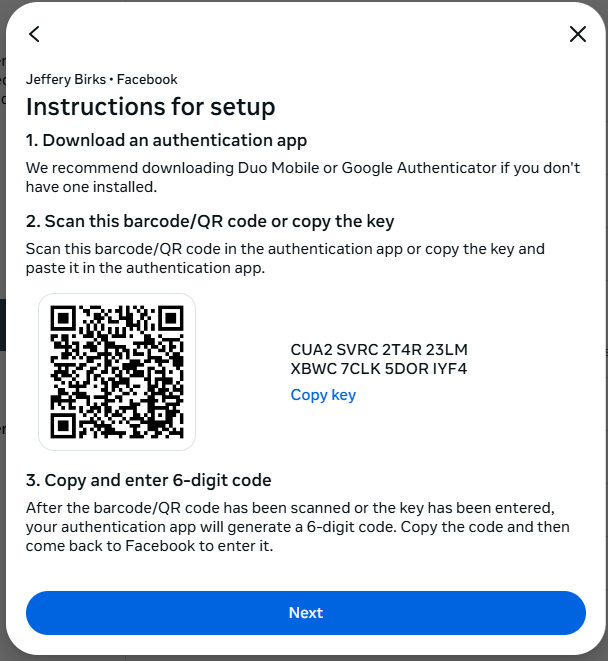
You can use the QR code to program our programmable tokens using the instructions found in the following procedure;
Verifying your token
Once you have programmed your token you will need to verify it with Facebook.
At the "Enter code" prompt supply a code from you newly programmed hardware token;
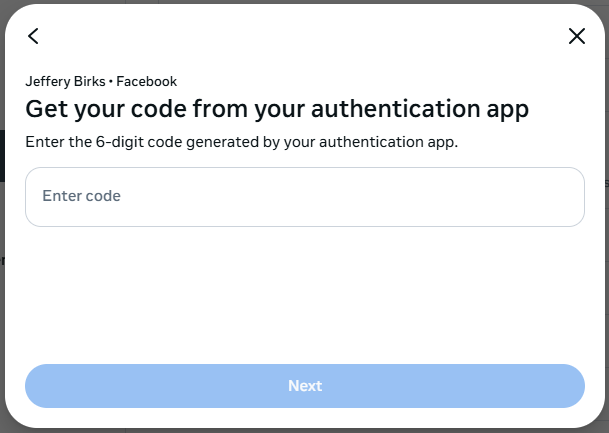
You will then be asked to confirm you password, then once this has been supplied you will be able to log on to Facebook using OTP codes generated by your hardware token.
Related Articles