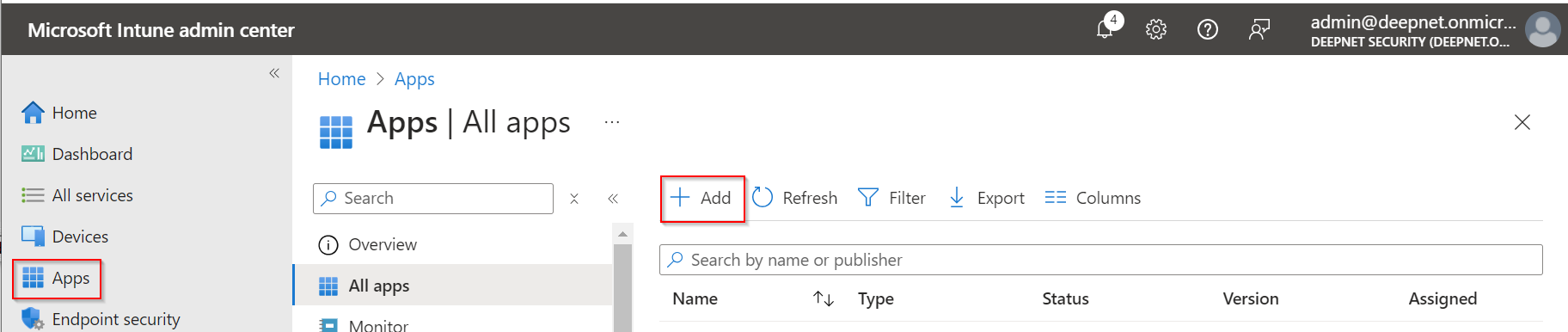
Sign in to https://intune.microsoft.com/, and navigate to Apps
Click "Add"
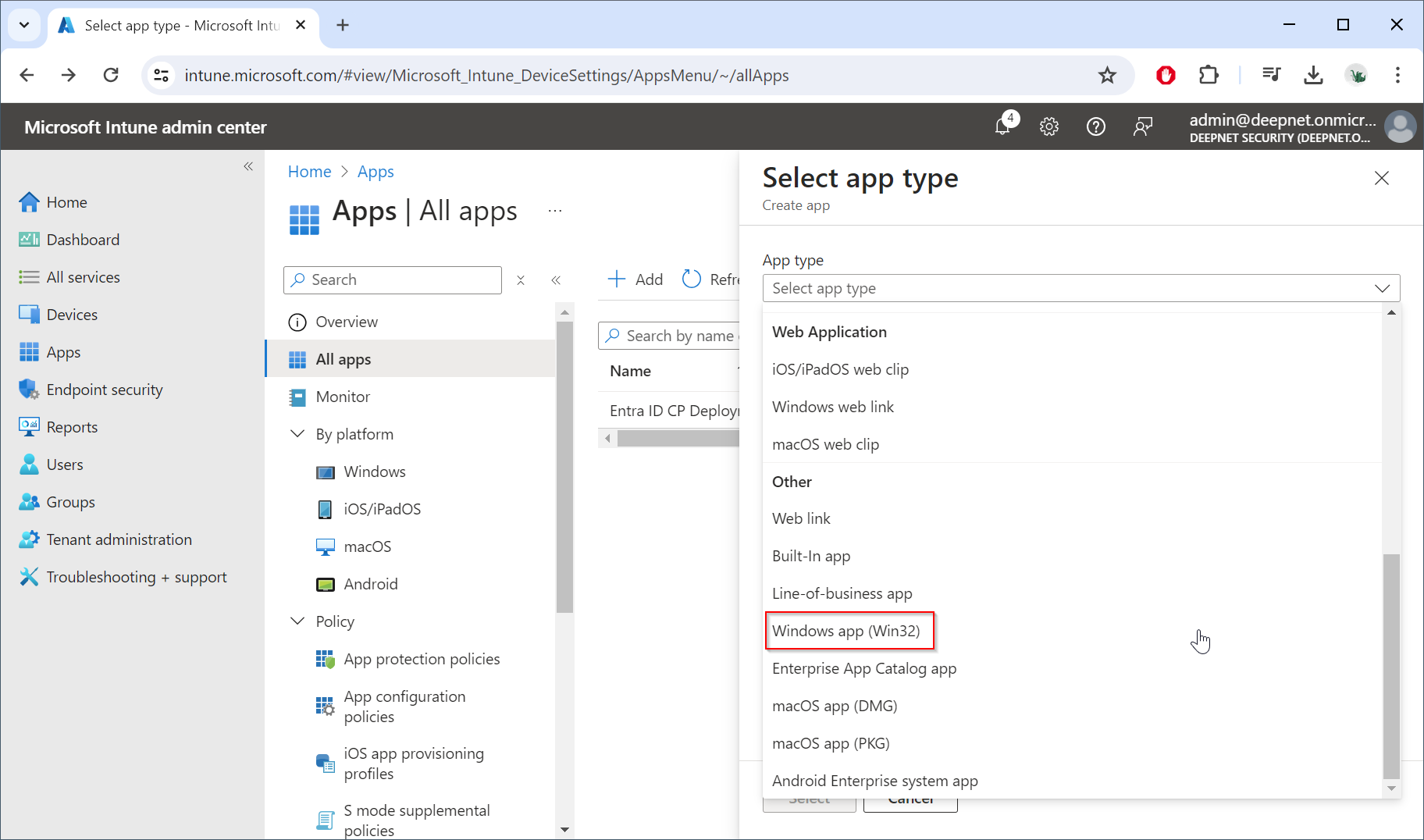
In "App type", select "Windows app (Win32)"
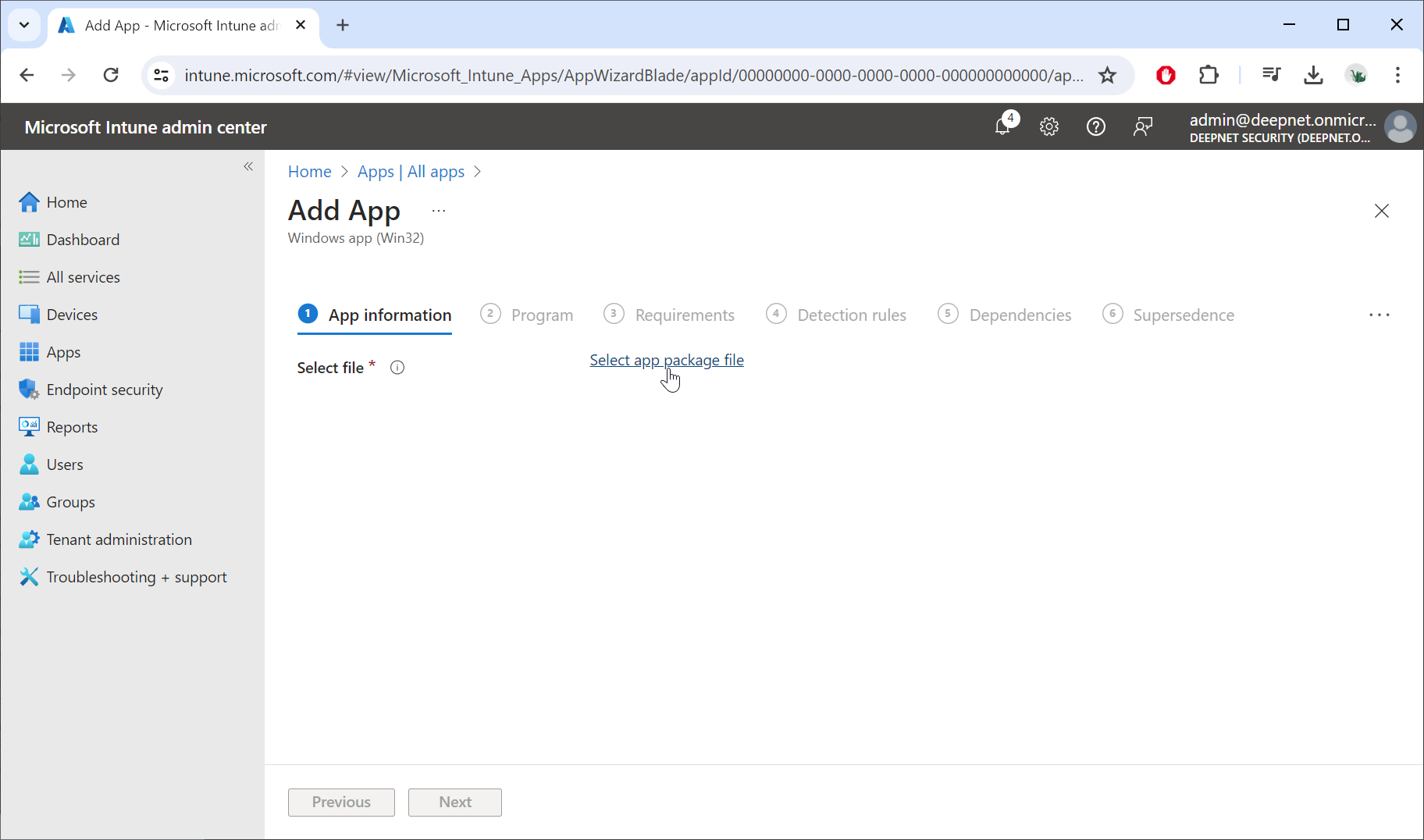
Click "Select app package file"
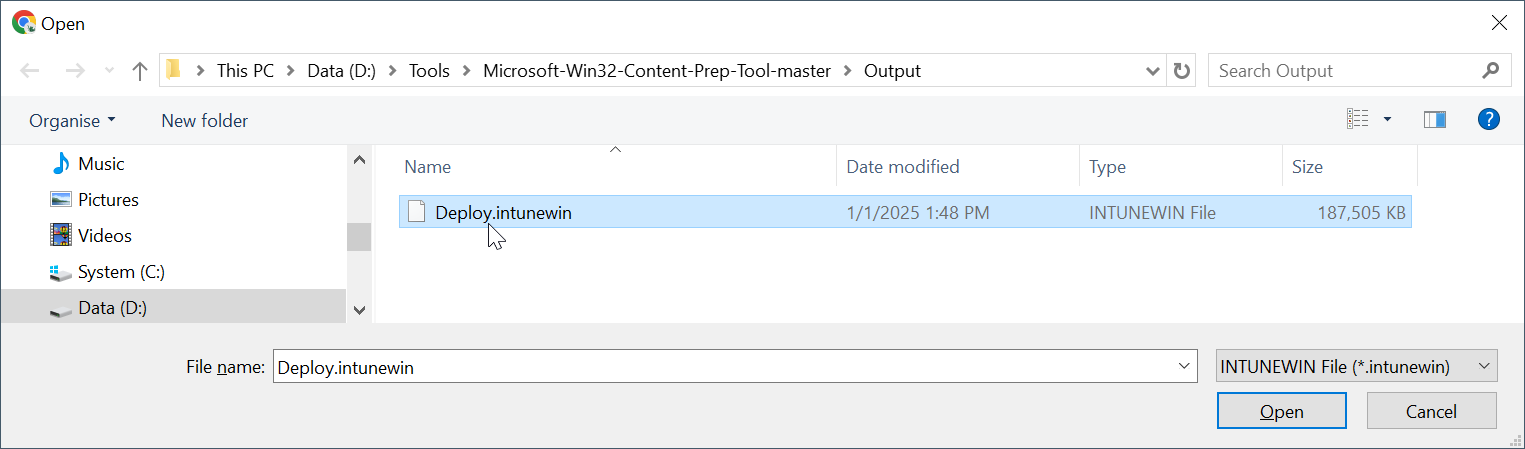
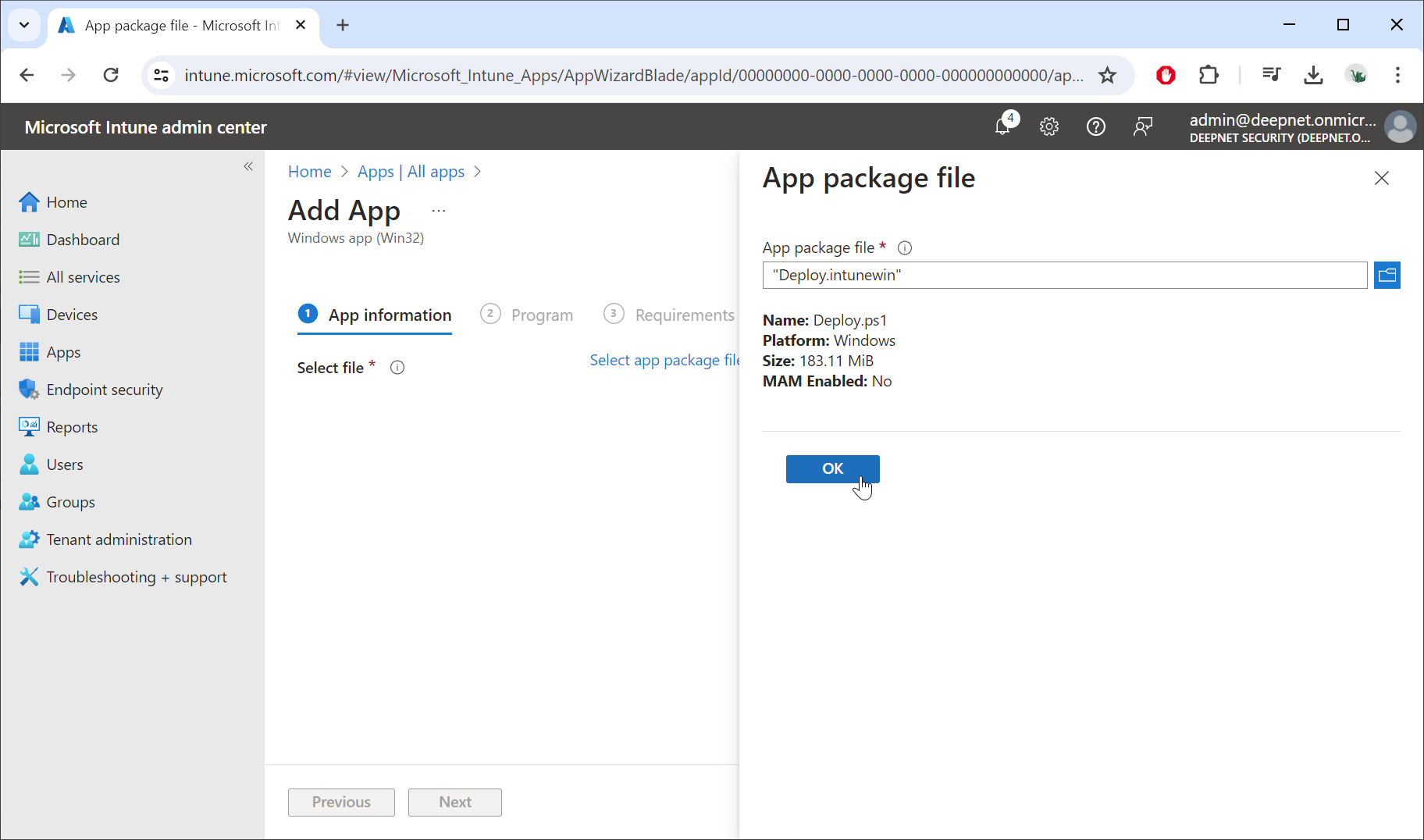
Click "OK"
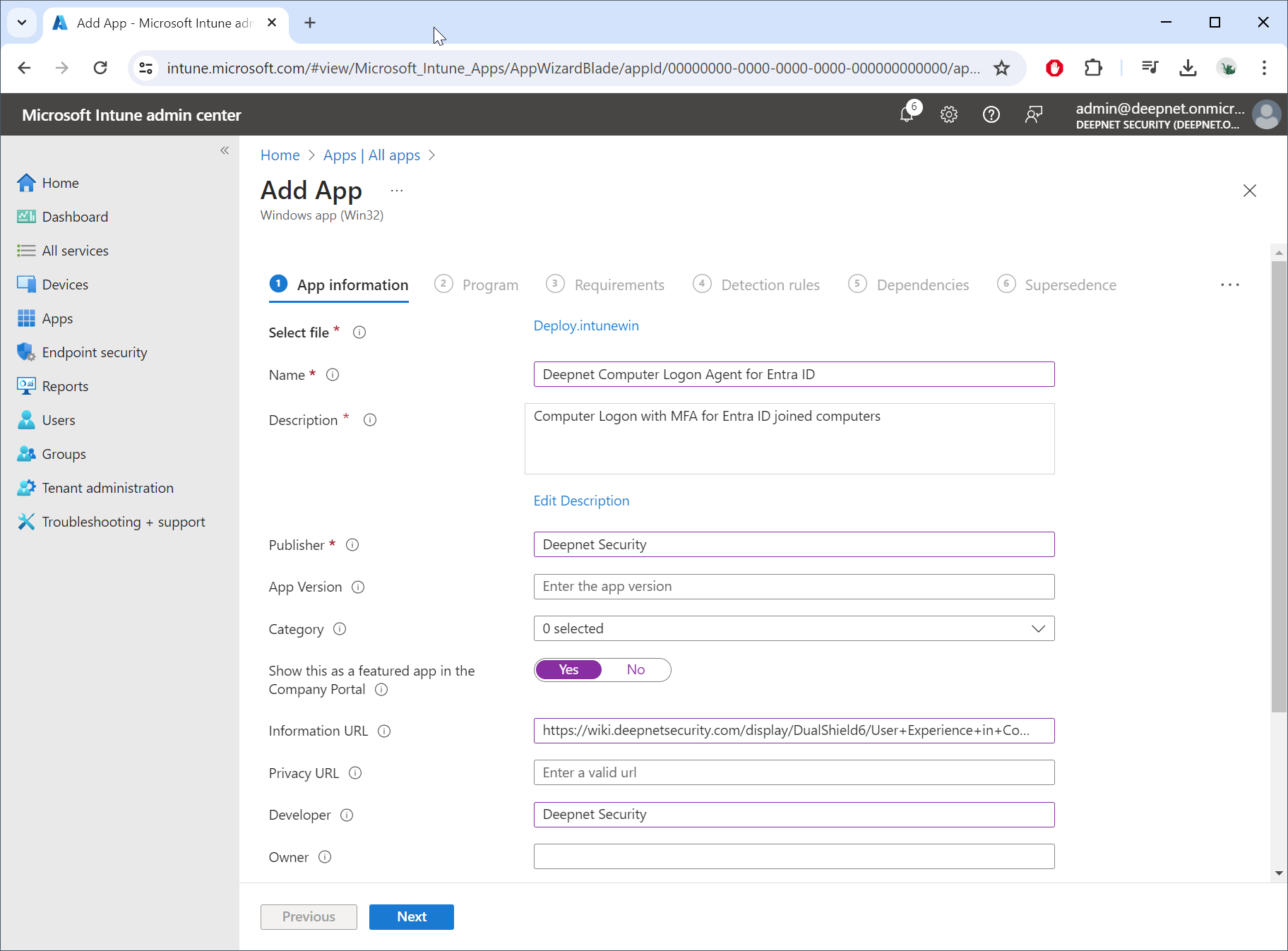
Click "Next"
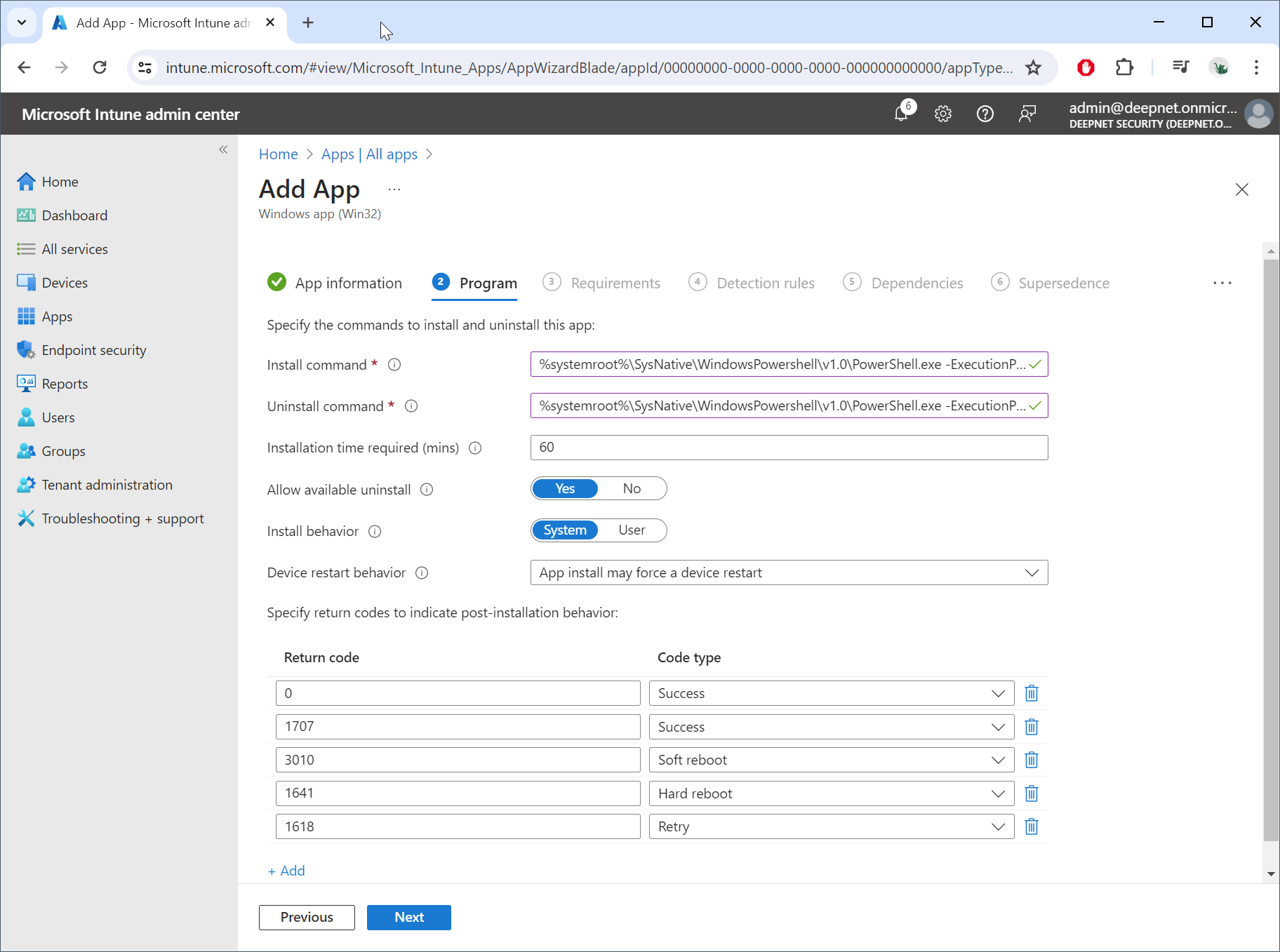
In the Install Command box, enter:
%systemroot%\SysNative\WindowsPowershell\v1.0\PowerShell.exe -ExecutionPolicy Bypass -File Deploy.ps1
In the Uninstall command box, enter,
%systemroot%\SysNative\WindowsPowershell\v1.0\PowerShell.exe -ExecutionPolicy Bypass -File Remove.ps1
Click "Next"
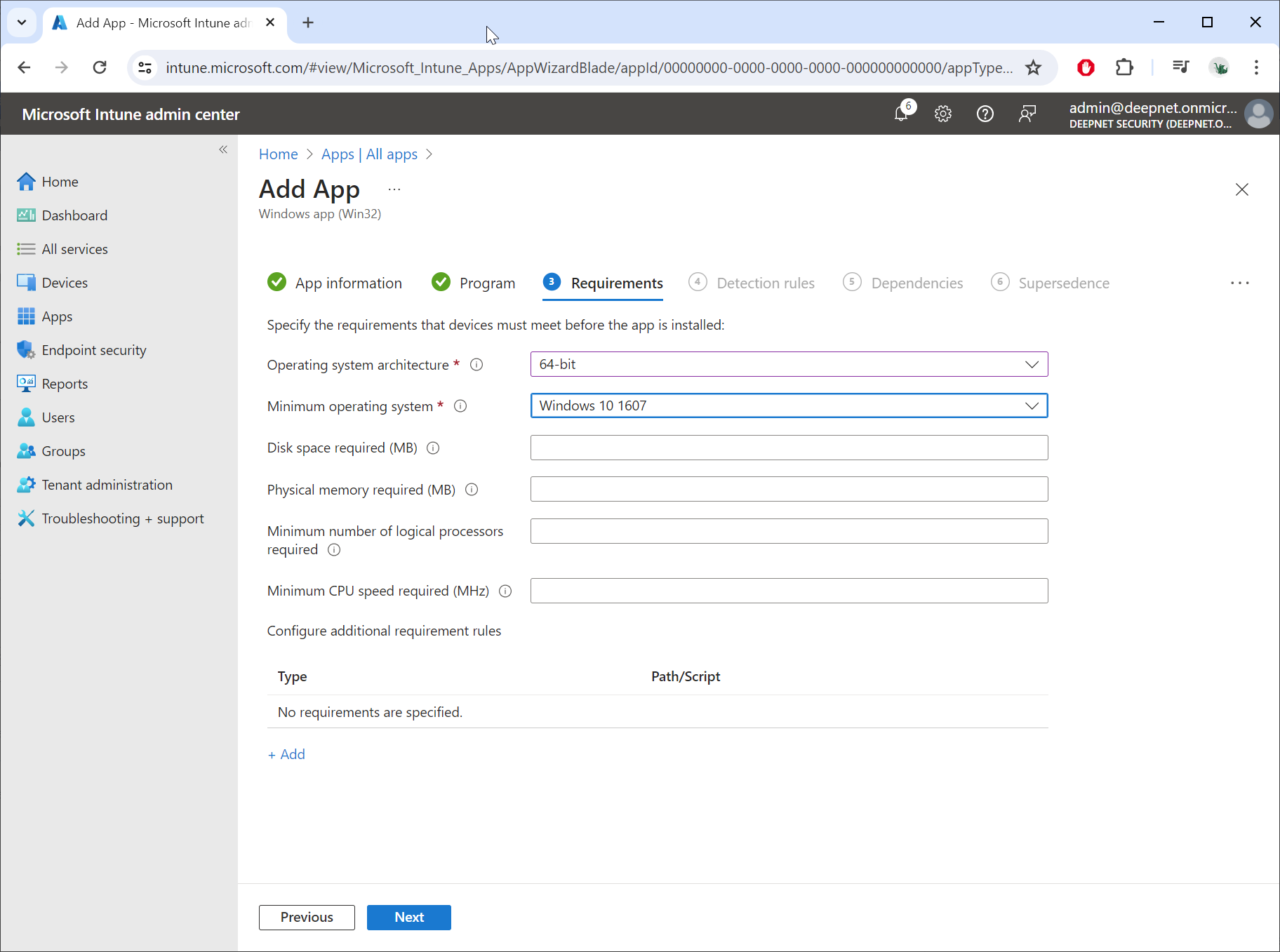
In "Operating system architecture", select "64-bit"
In "Minimum operating system", select "Windows 10 1607"
Click "Next"
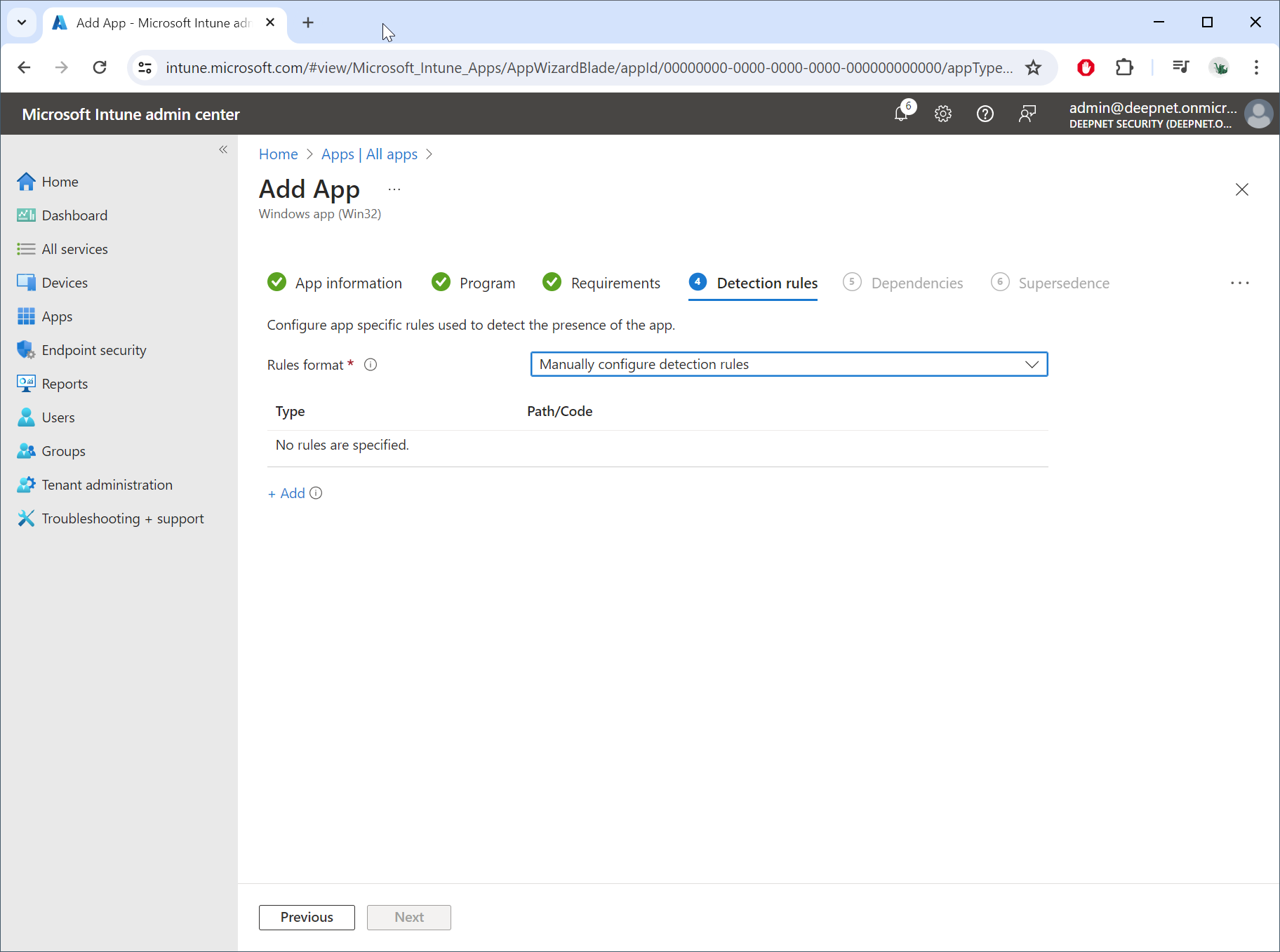
In "Rules format", select "Manually configure detection rules"
Click "+Add"
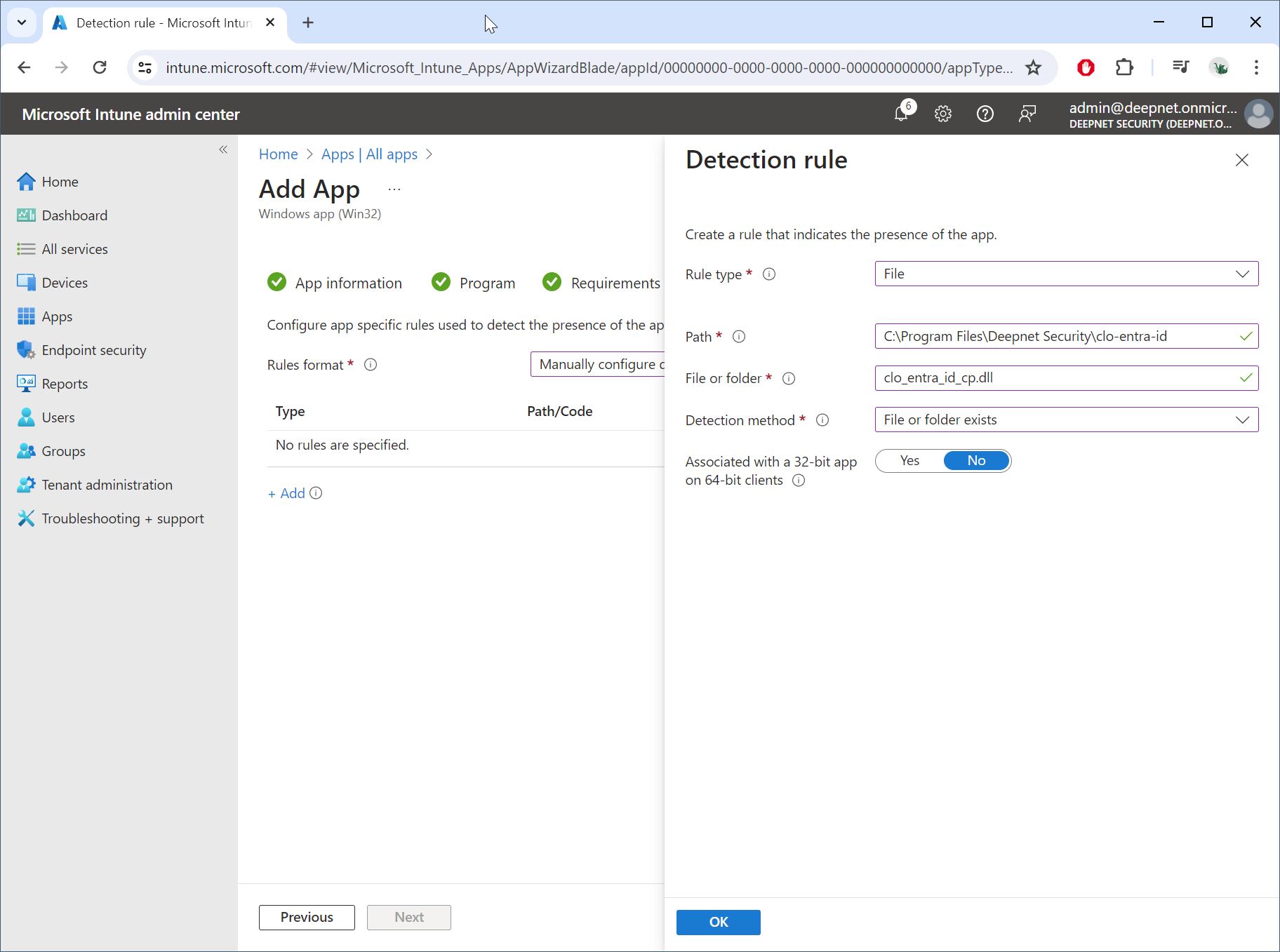
In "Rule type", select "File"
In "Path", enter "C:\Program Files\Deepnet Security\clo-entra-id"
In "File or folder", enter "clo_entra_id_cp.dll"
In "Detection method", select "File or folder exists"
Click "OK"