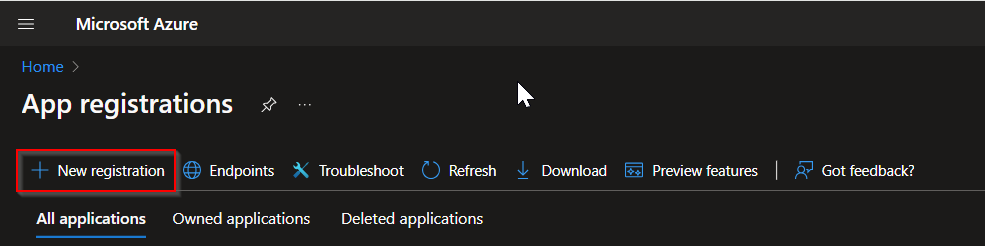
In Azure Portal, go to App registrations
Click New registgration
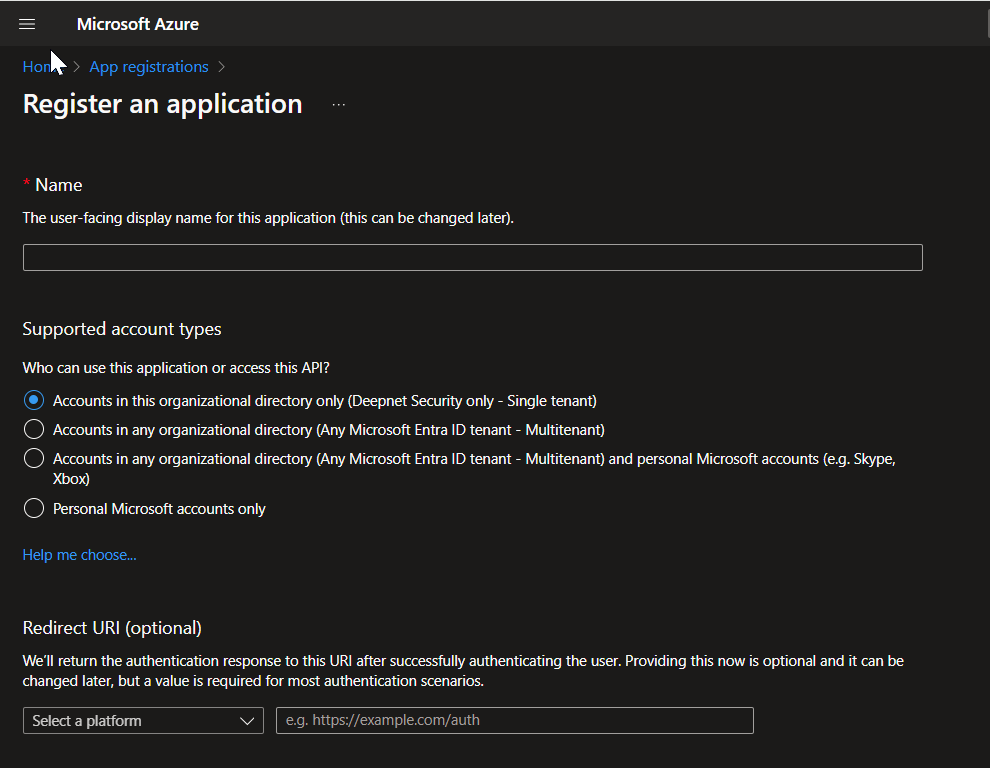
In the Name box, enter a name for this application, such as "Computer Logon with MFA"
Under Redirect URI, select "Web" and enter a value of "https://entra-id-computer-logon"
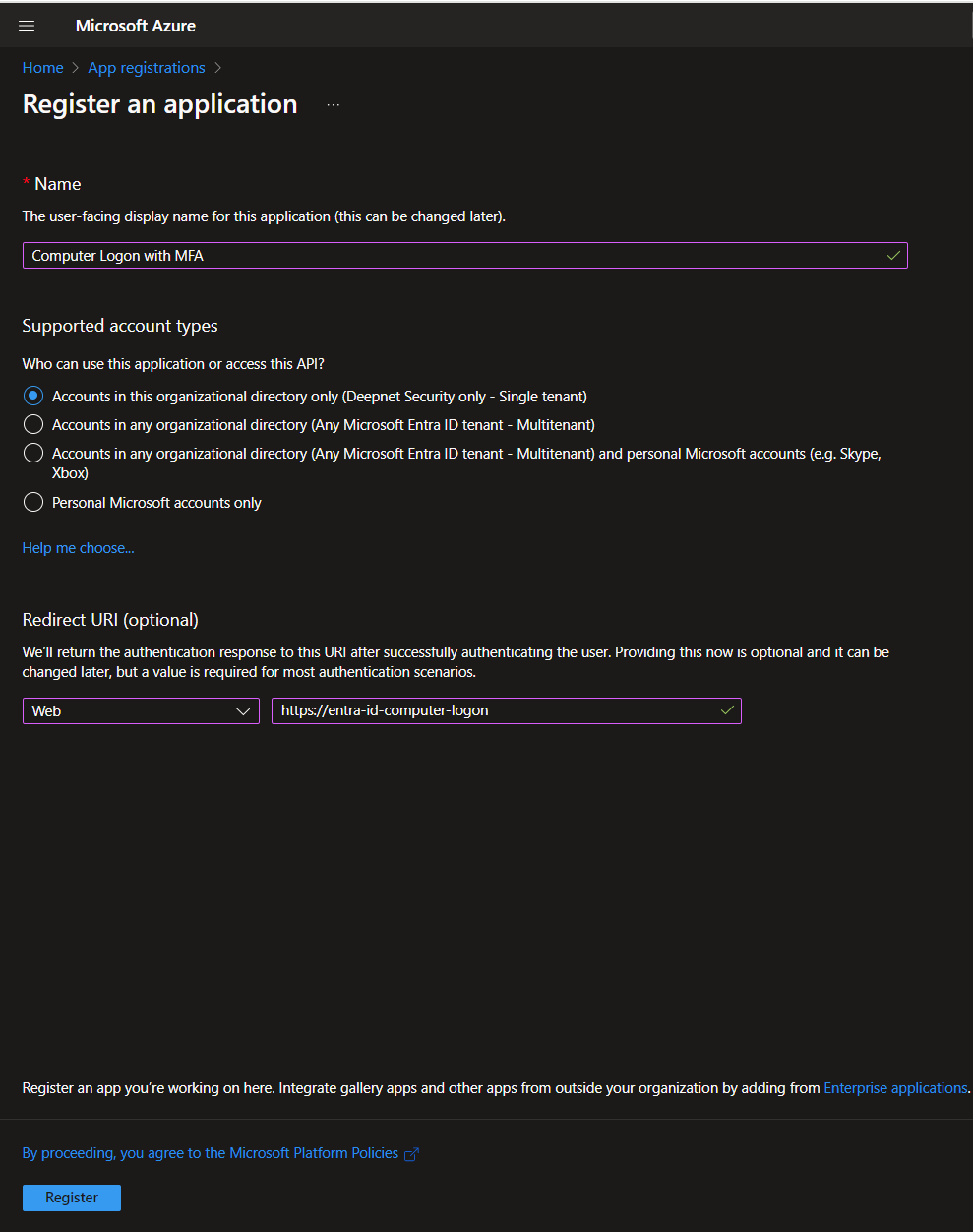
Click "Register"
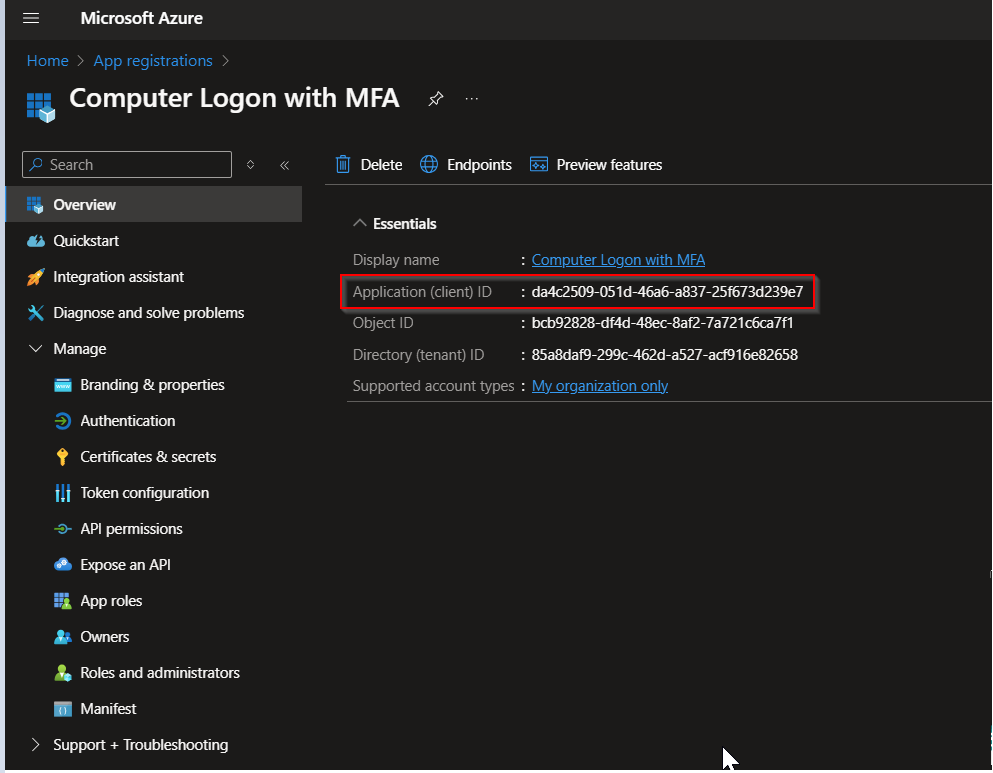
Take note of the Application (client) ID, e.g. da4c2509-051d-46a6-a837-25f673d239e7
Click Authentication
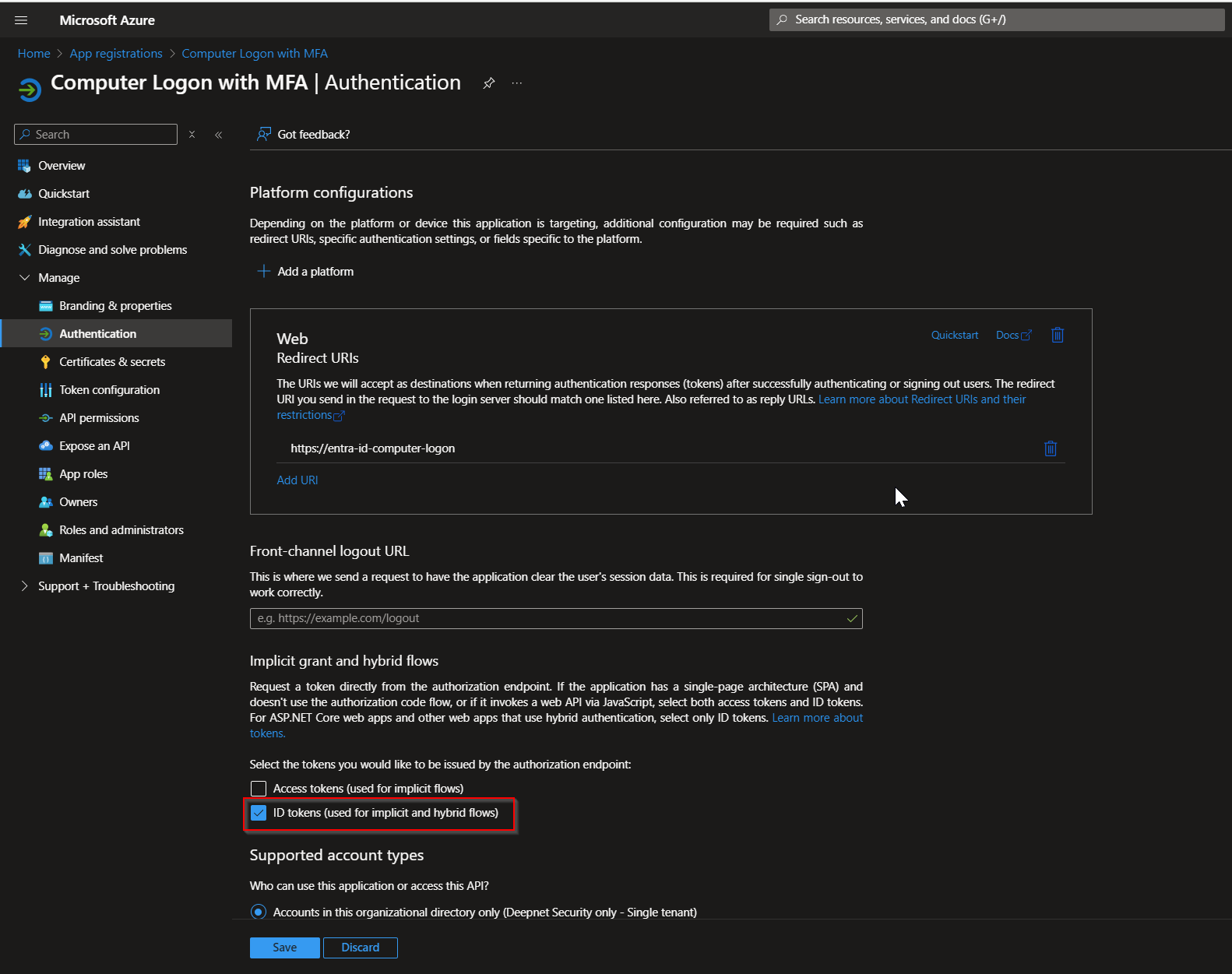
Enable the option "ID tokens (used for implicit and hybrid flows)"
Click Save
Click API permissions
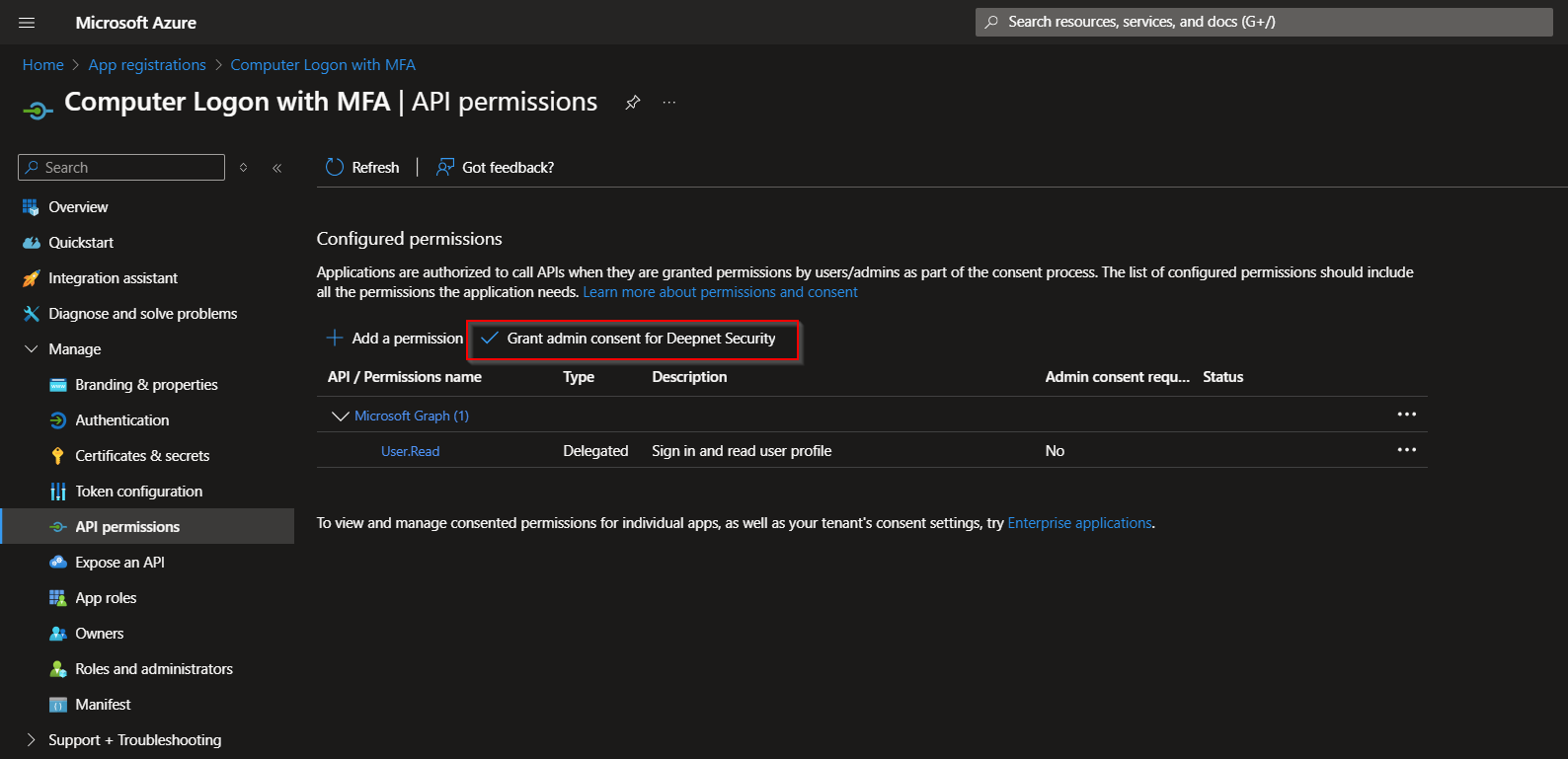
click the button "Grant admin consent for xxx" (where xxx is the name of your tenant)

Click Yes to confirm
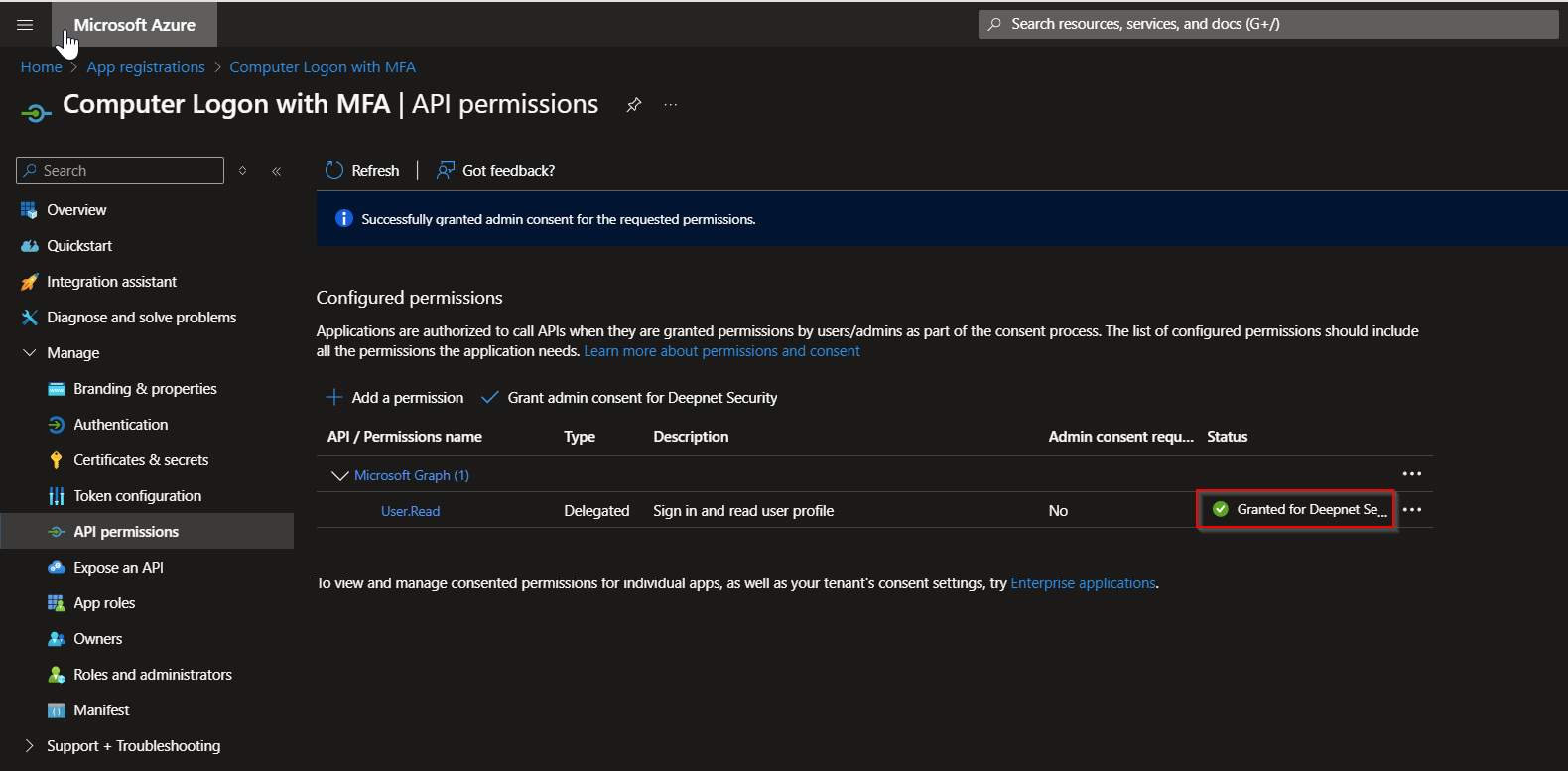
API permissions status now shows as granted.