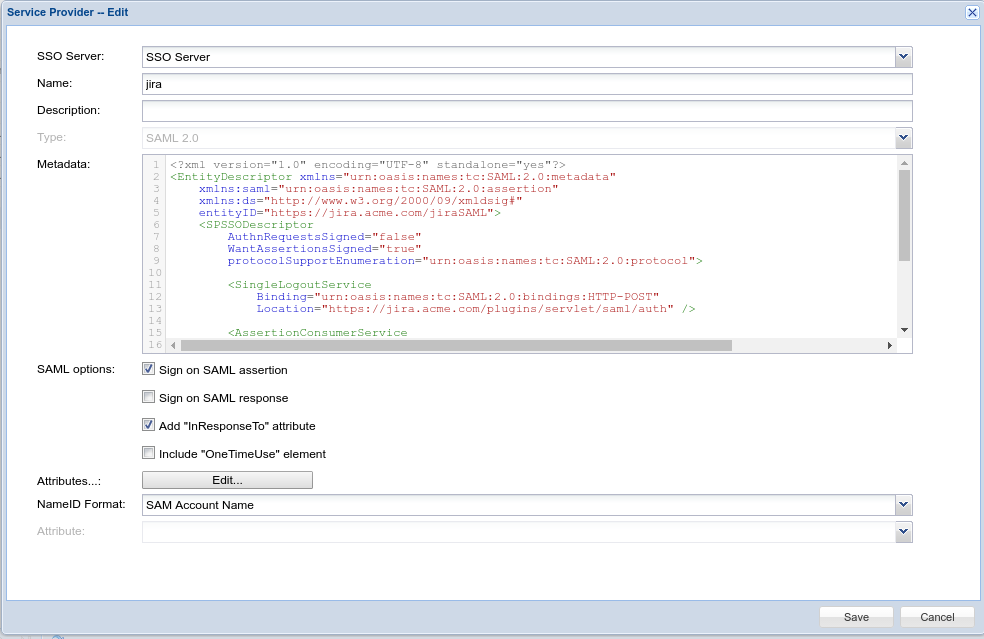
For the Metadata, use the template below:
<?xml version="1.0" encoding="UTF-8" standalone="yes"?>
<EntityDescriptor xmlns="urn:oasis:names:tc:SAML:2.0:metadata"
    xmlns:saml="urn:oasis:names:tc:SAML:2.0:assertion"
    xmlns:ds="http://www.w3.org/2000/09/xmldsig#"
    entityID="https://jira.acme.com/jiraSAML">
    <SPSSODescriptor
        AuthnRequestsSigned="false"
        WantAssertionsSigned="true"
        protocolSupportEnumeration="urn:oasis:names:tc:SAML:2.0:protocol">

        <SingleLogoutService
            Binding="urn:oasis:names:tc:SAML:2.0:bindings:HTTP-POST"
            Location="https://jira.acme.com/plugins/servlet/saml/auth" />

        <AssertionConsumerService
            Binding="urn:oasis:names:tc:SAML:2.0:bindings:HTTP-POST"
            Location="https://jira.acme.com/plugins/servlet/saml/auth" />
        <AttributeConsumingService index="0" isDefault="true">
            <RequestedAttribute Name="loginName" NameFormat="urn:string" FriendlyName="Login Name" isRequired="true" />
            <RequestedAttribute Name="fullName" NameFormat="urn:string" FriendlyName="Full Name" isRequired="false" />
        </AttributeConsumingService>

    </SPSSODescriptor>
</EntityDescriptor>
|
Replace "jira.acme.com" with the domain name of your JIRA server.
The "Location" of "AssertionConsumerService" should be the same as the SAML Endpoint in the configuration of SAML add-on.

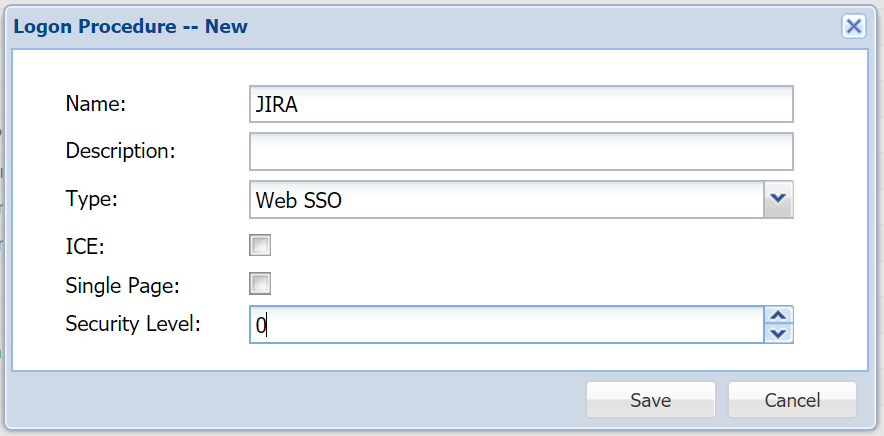
Select "Web SSO" as the Type
Click the context menu of the "JIRA" logon procedure and select "Logon Steps" from the menu
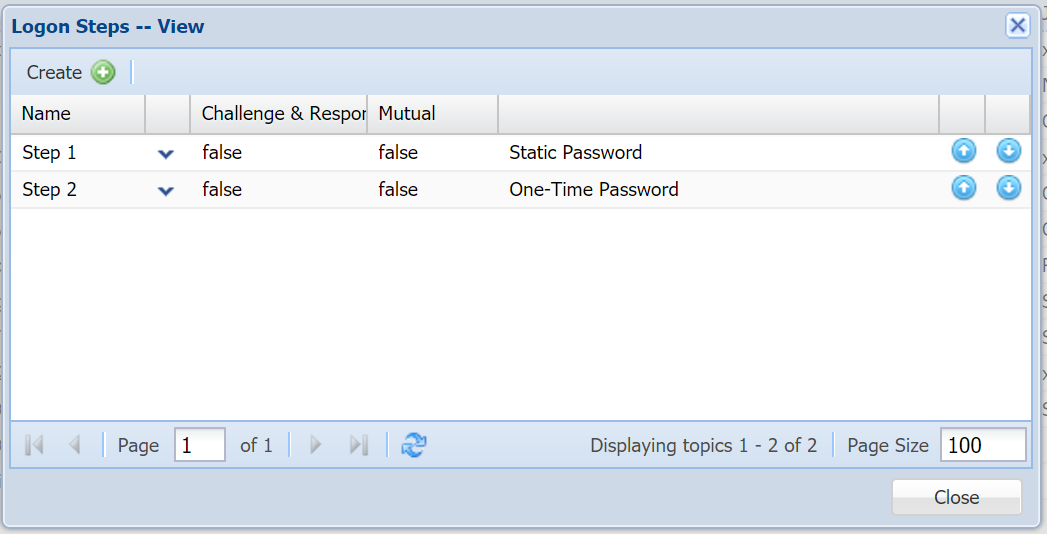
Add the necessary logon steps

Select the login procedure created in the previous step
Click the context menu of the "JIRA" application, and select "Agents" from the menu

Select "SSO Server" from the list of agents.