Create a Service Provider
- Login to DualShield Administration Console
- Select “SSO | Service Providers”
- Click the “+ CREATE” button
![DualShield MFA Platform > Service Provider [BOX] > image-2024-11-27_15-9-25.png](/download/attachments/35947214/image-2024-11-27_15-9-25.png?version=1&modificationDate=1732720164290&api=v2)
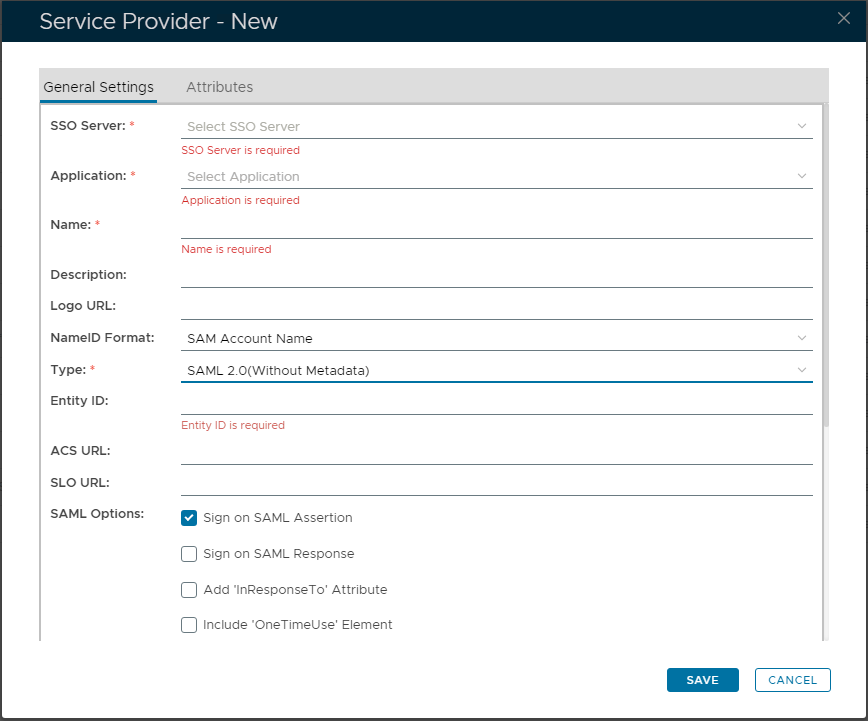
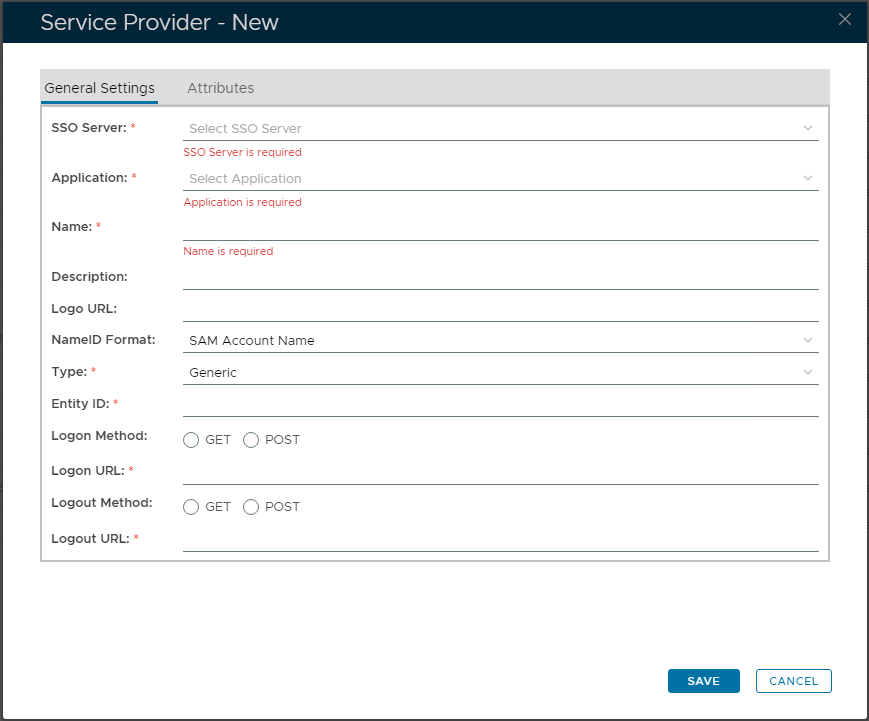
- In "Type", select "SAML 2.0"
![DualShield MFA Platform > Service Provider [BOX] > image-2024-11-27_15-10-47.png](/download/attachments/35947214/image-2024-11-27_15-10-47.png?version=1&modificationDate=1732720245980&api=v2)
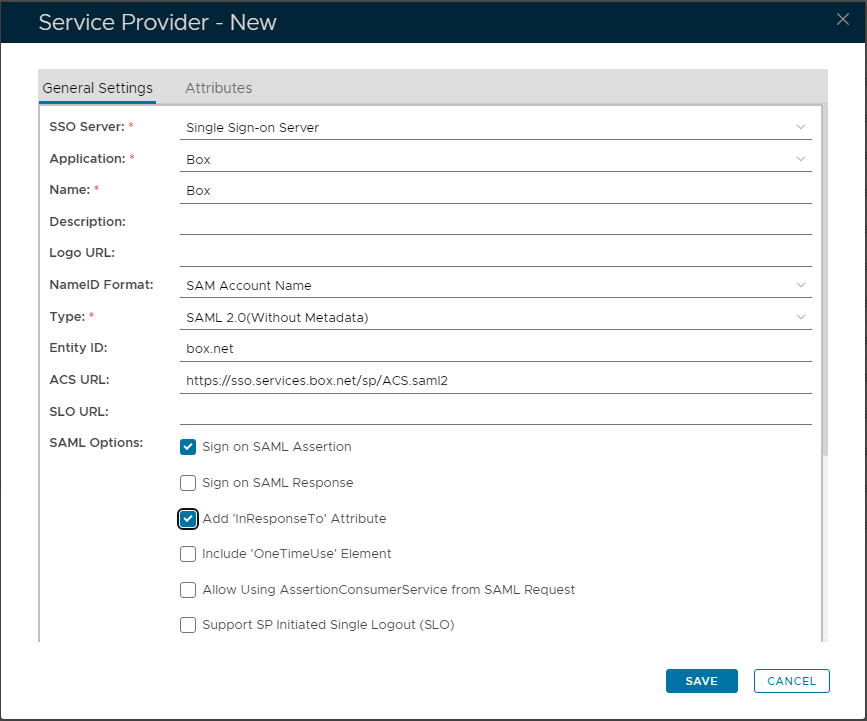
- Select "SSO Server" and "Application"
- Enter "Name" and "Description" (optional)
- In "Entity ID" enter "box.net"
- In "ACS Url" enter "https://sso.services.box.net/sp/ACS.saml2"
- In "SAML Options", select tickbox "Sign on SAML Assertion"
![DualShield MFA Platform > Service Provider [BOX] > image-2024-11-27_15-13-53.png](/download/attachments/35947214/image-2024-11-27_15-13-53.png?version=1&modificationDate=1732720432065&api=v2)
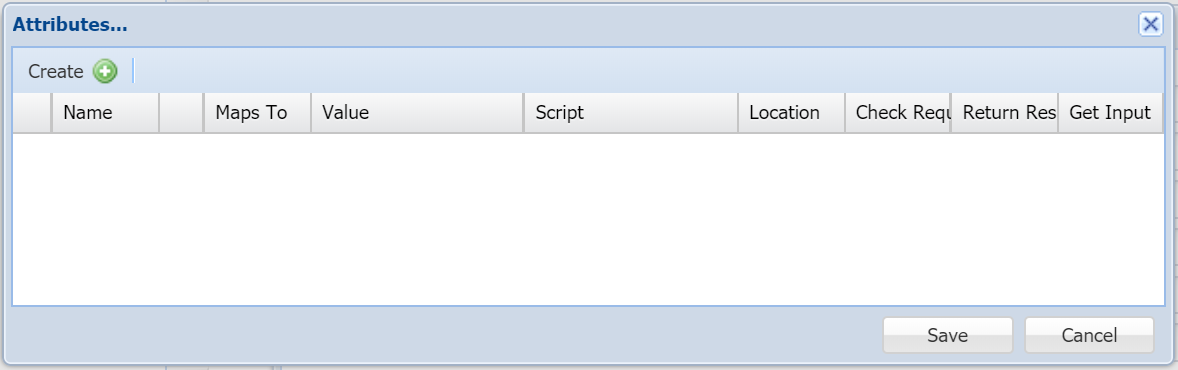
- In "Attributes", click the "+ CREATE" button
![DualShield MFA Platform > Service Provider [BOX] > image2019-3-8_23-27-46.png](/download/attachments/35947214/image2019-3-8_23-27-46.png?version=1&modificationDate=1587385946000&api=v2)
- Click the "+CREATE" button on the toolbar
![DualShield MFA Platform > Service Provider [BOX] > image-2024-11-27_16-33-15.png](/download/attachments/35947214/image-2024-11-27_16-33-15.png?version=1&modificationDate=1732725194316&api=v2)
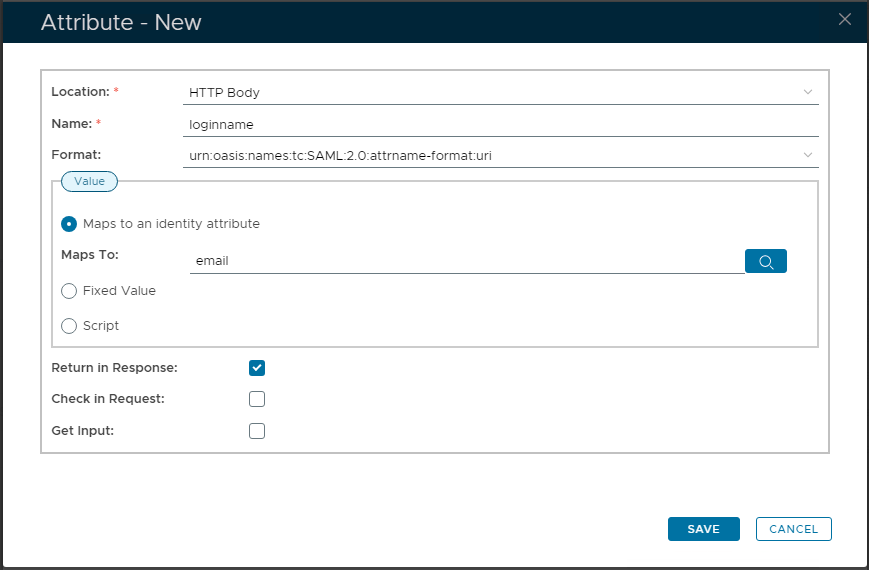
- In "Location", select "HTTP Body"
- In "Name", enter "loginname"
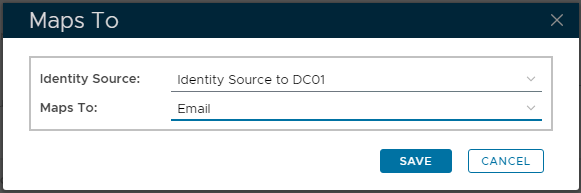
- In "Maps to an identity attribute", click the search icon
![DualShield MFA Platform > Service Provider [BOX] > image-2024-11-27_16-30-6.png](/download/attachments/35947214/image-2024-11-27_16-30-6.png?version=1&modificationDate=1732725005267&api=v2)
- Save the attribute
![DualShield MFA Platform > Service Provider [BOX] > image-2024-11-27_16-35-50.png](/download/attachments/35947214/image-2024-11-27_16-35-50.png?version=1&modificationDate=1732725349040&api=v2)
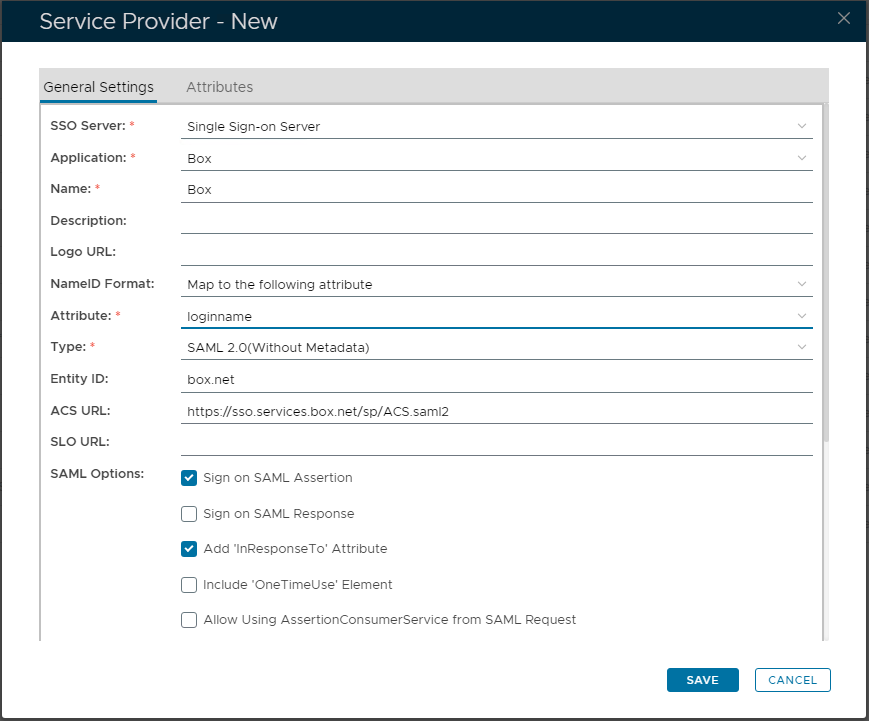
- In "NameID Format", select "Map to the following attribute"
- In "Attribute" select the newly created attribute, i.e. "email"
- Click "SAVE"
Related Articles