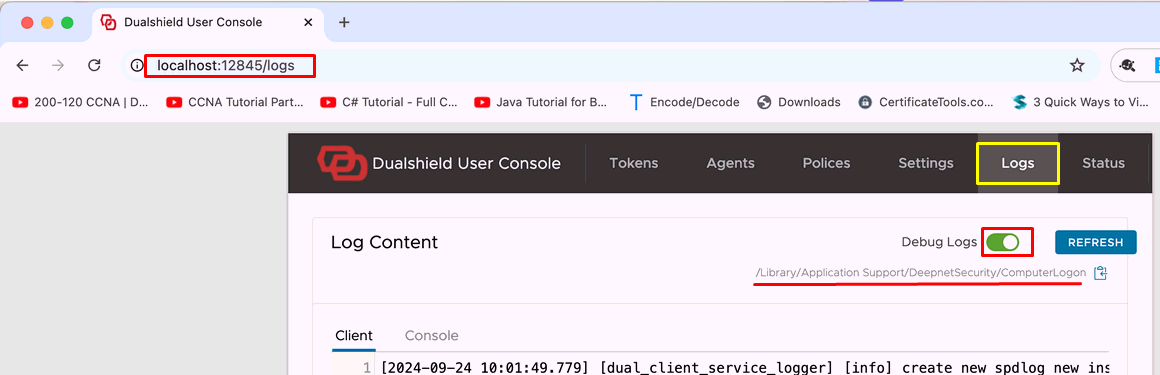
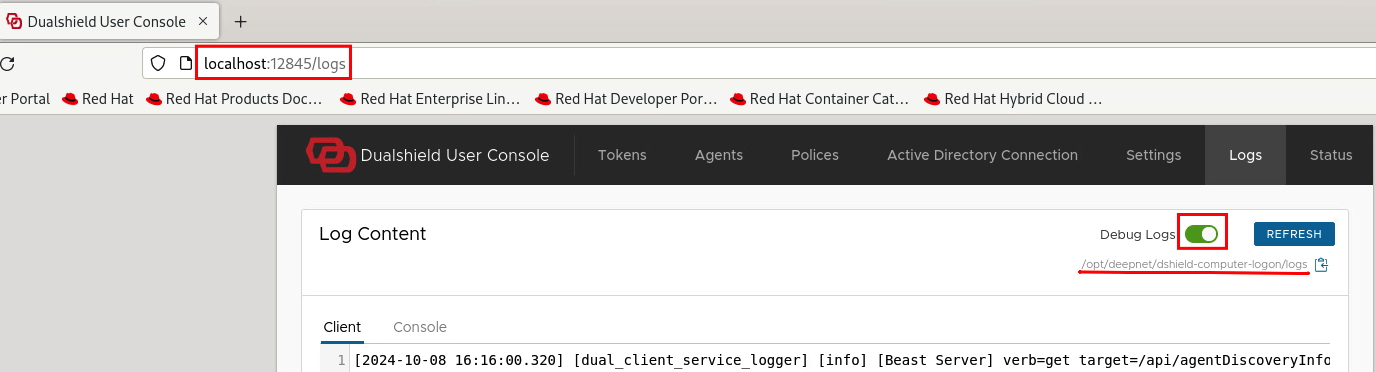
Open a web browser and enter http://localhost:12845/logs in the address bar
Toggle the switch next to Debug Logs so it is in the right-hand position and goes green.
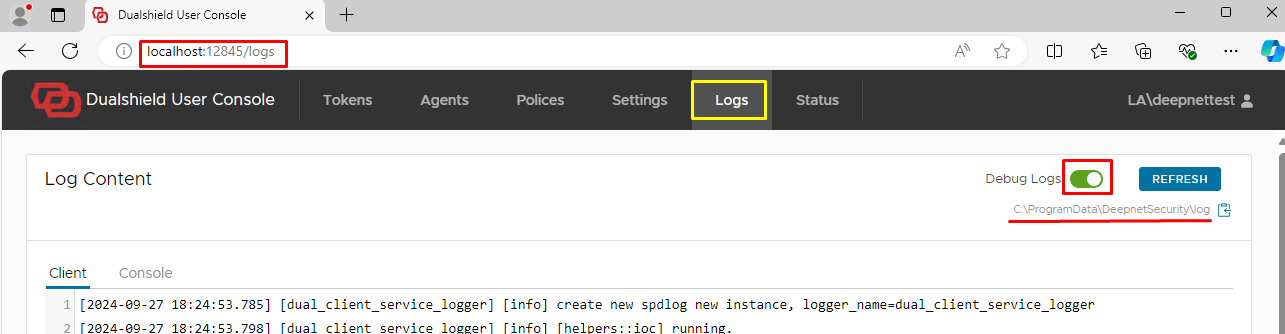
The path to access the logs is C:\ProgramData\DeepnetSecurity\log
Open a web browser and enter http://localhost:12845/logs in the address bar Toggle the switch next to Debug Logs so it is in the right-hand position and goes green.
The path to access the logs is C:\ProgramData\DeepnetSecurity\log |
Open a web browser and enter http://localhost:12845/logs in the address bar Toggle the switch next to Debug Logs so it is in the right-hand position and goes green
|
Open a web browser and enter http://localhost:12845/logs in the address bar Toggle the switch next to Debug Logs so it is in the right-hand position and goes green
|
Use the following command to enable the debug logs:
Check the log level is set to 4 by using this command:
The path to access the logs is /opt/deepnet/dshield-computer-logon/logs |