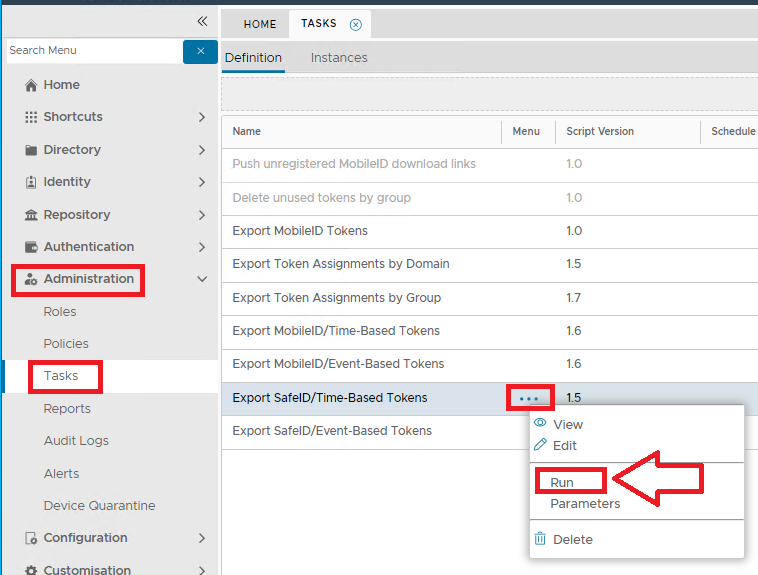
The task "Export SafeID/Time-Based Tokens", is a task script that allows the export of a XML file containing all SafeID/Time-Based token seed details.
In order to export token seed data for SafeID/Time-Based Tokens you will first need to navigate to "Administration | Tasks", left click of the context menu for the task "Export SafeID/Time-Based Tokens", and selecting the context menu option "Run";
A new window titled "Execute Task" will now open.
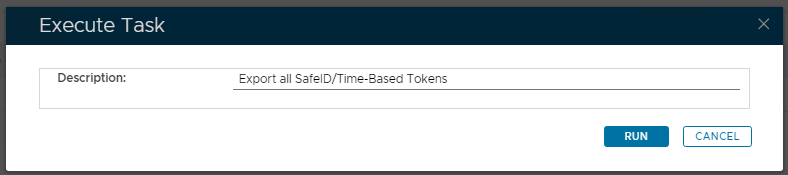
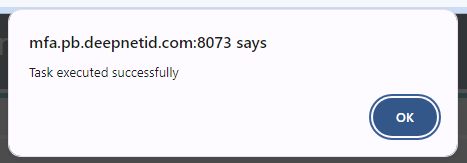
Once the parameters have been entered we start the task by clicking on  , and we will be notified that the task details have been exported;
A subfolder of the DualShield installation folder (named "\export") will now contain a XML file called "Safeid-ST", that will contain the seed data from our exported tokens;
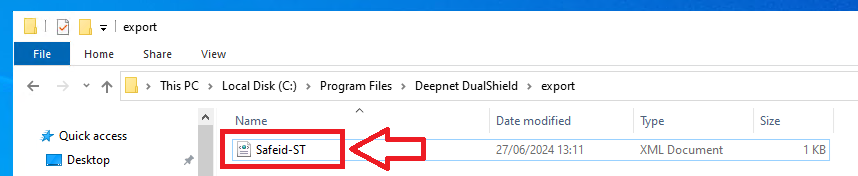
If this file is edited you will find it contains details for the selected SafeID token seed data.