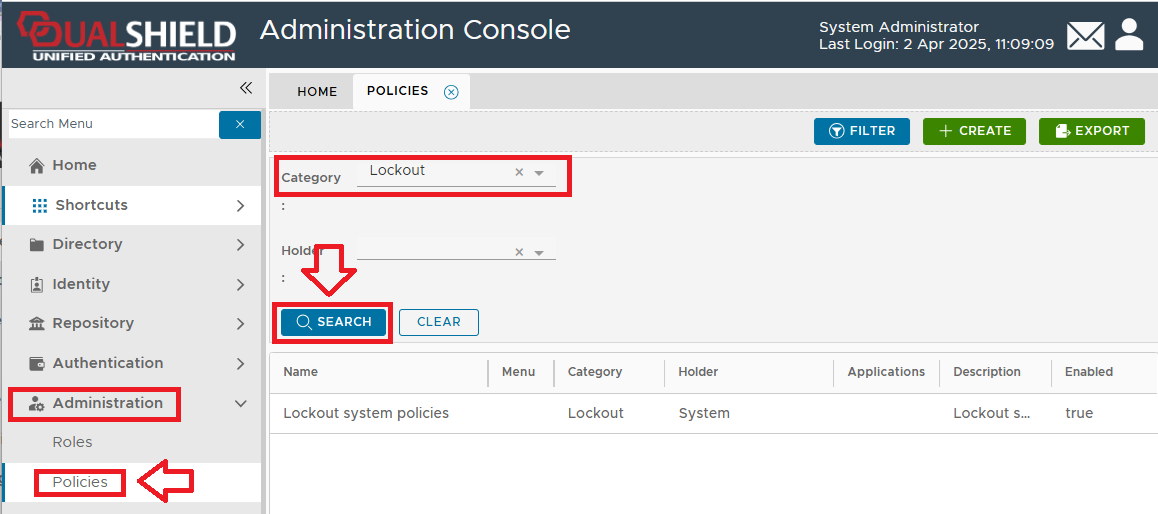
Lockout policies define how many failed logon attempts users can make before the system locks the associated user account.

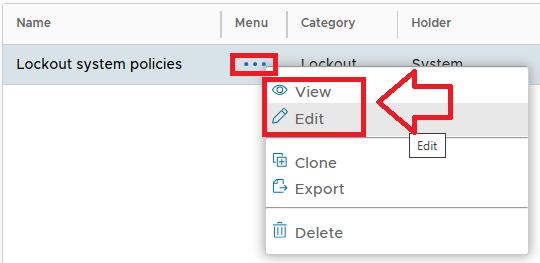
Editing the Lockout Policy Settings:

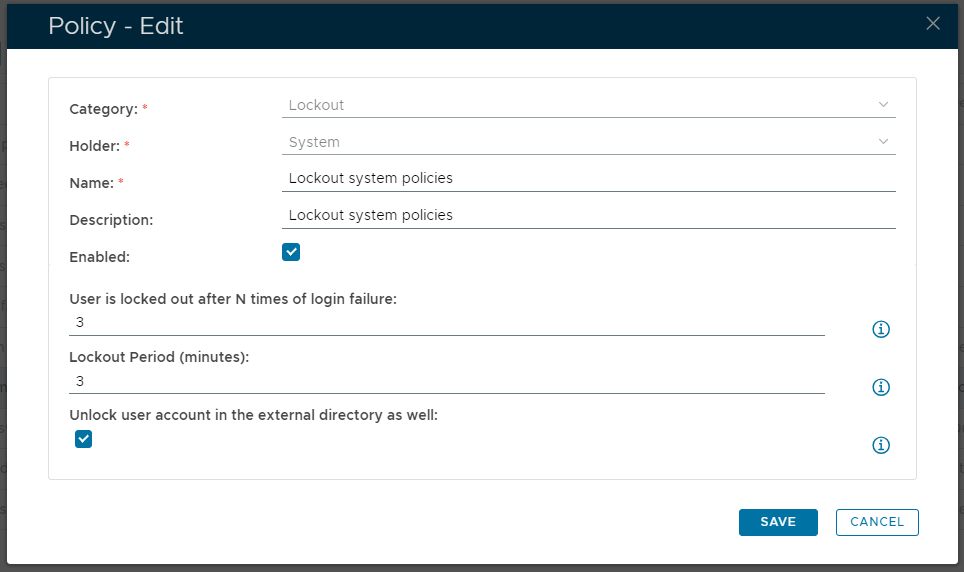
Once the lockout policy has been edited, a new window will open titled "Policy - Edit" (that can be used to edit the policy settings for this policy);


The category for this policy is "Lockout" (this property cannot be edited).


The holder of this policy is "System" (this property cannot be edited).


The name assigned to identify the lockout system policy by the System Administrator.


The System Administrator may use this field to annotate this policy.


This option allows the System Administrator to enable or disable this policy.


If a non zero value is supplied then this value determines how many consecutive logon failures will be accepted during the logon process before the user's account is locked out..

if a zero value is entered then logon failures will not lock the account (regardless of how many failures occur).


If a non-zero value is supplied then this value determines the duration (in minutes) that the user's account will be locked out.

if a zero value is entered then the user's account will remain locked until unlocked by the system administrator.


This option allows the System Administrator to enable that when the user account is unlocked in the internal directory, he will also be unlocked in the external directory.