 icon).
It is possible to filter which details are listed in the report by using the condition builder tool (the tool is accessed by clicking on the icon).
After the icon is pressed a new window titled "Condition Builder" will open;
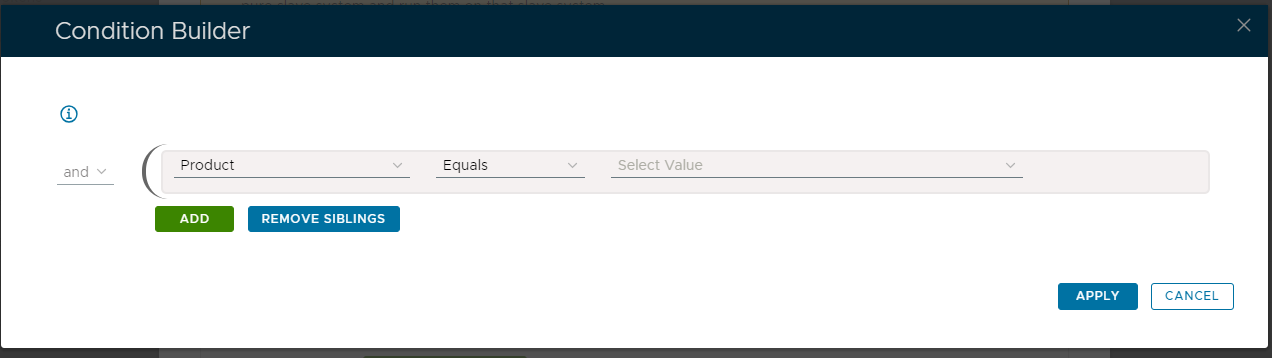
The report template would normally produce a report that provides details for all records that are produced by the query that the report is based on, but these records can be restricted by supplying optional conditions in the condition builder.
The condition builder allows us to specify additional conditions that further restrict what records are included in the report.
As an example, if we wanted to restrict the records added to our report for a specific product and domain we could add the following conditions;
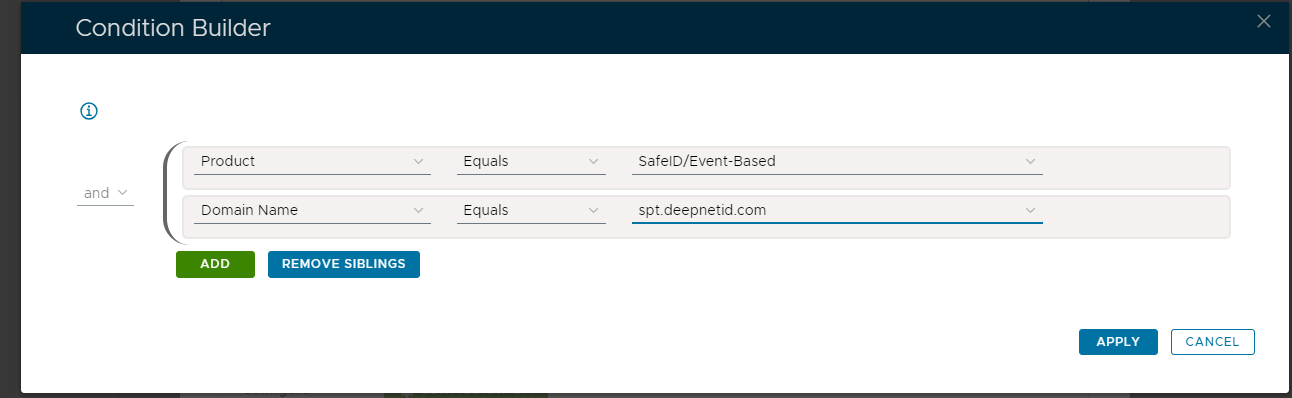
The above example was created with the "All Tokens" report template (searching for tokens in the specified domain of the product type "SafeID/Event-Based"), but each template will offer different options.
Conditions are added to this list using the  button, and it is possible to use the logic operators ("and" and "or") to specify if all the conditions are required, or if some are optional.
When all the required conditions have been added we submit the conditions using the  button, and once applied the condition builder will close, and the "Query Statement" parameter will be updated;
