To configure SAML single sign-on:
Go to Users
Under Authenticators enable Single Sign-on / SAML
Click on Configure on the right. This will open the Single Sign-On / SAML configuration dialogue box.


Enter the details of the SAML identity provider:
Click Add IDP
Follow the prompts to upload the IDP Metadata File you obtained from the DualShield Server. (refer to Dualshield Configuration Part 1)

Upload the Idp Certificate file
In order to do this, you need to convert the 'crt' file that was downloaded in the previous section to a 'cer' file.
To begin, Open the crt file and install the Certificate to your personal folder in Certificate manager

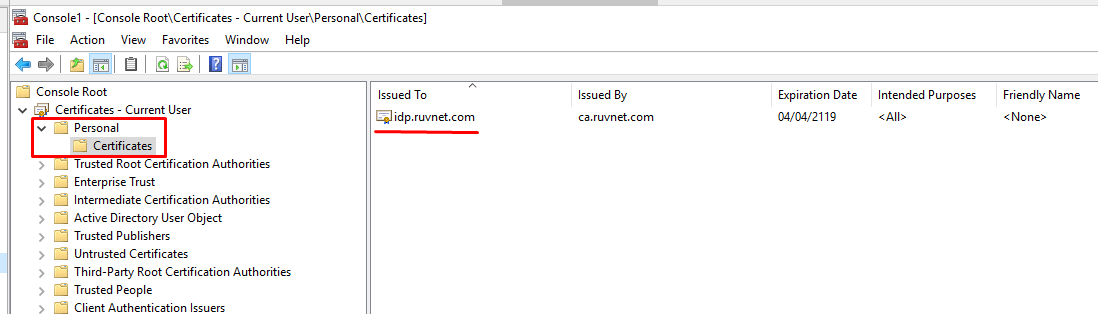
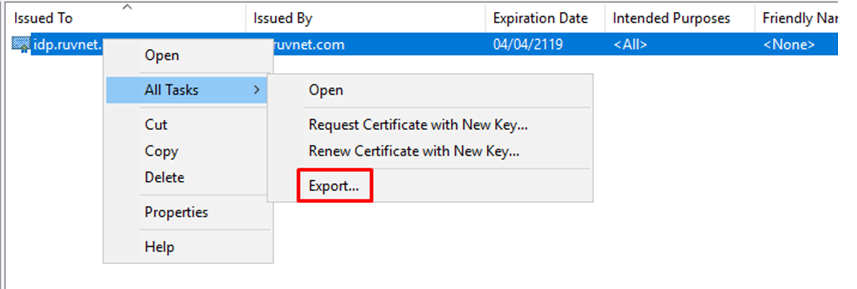
Once installed the Certificate needs to be exported
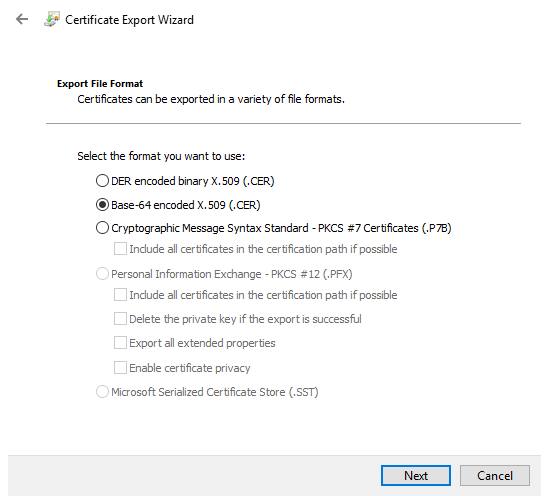
Export it as a Base-64 encoded X.509 (.CER)
You will also need to download the IdP Certificate
Upload the exported CER file.
