Configure SAML Role Permission
Select your name to access the user menu at the top.
Select Settings.
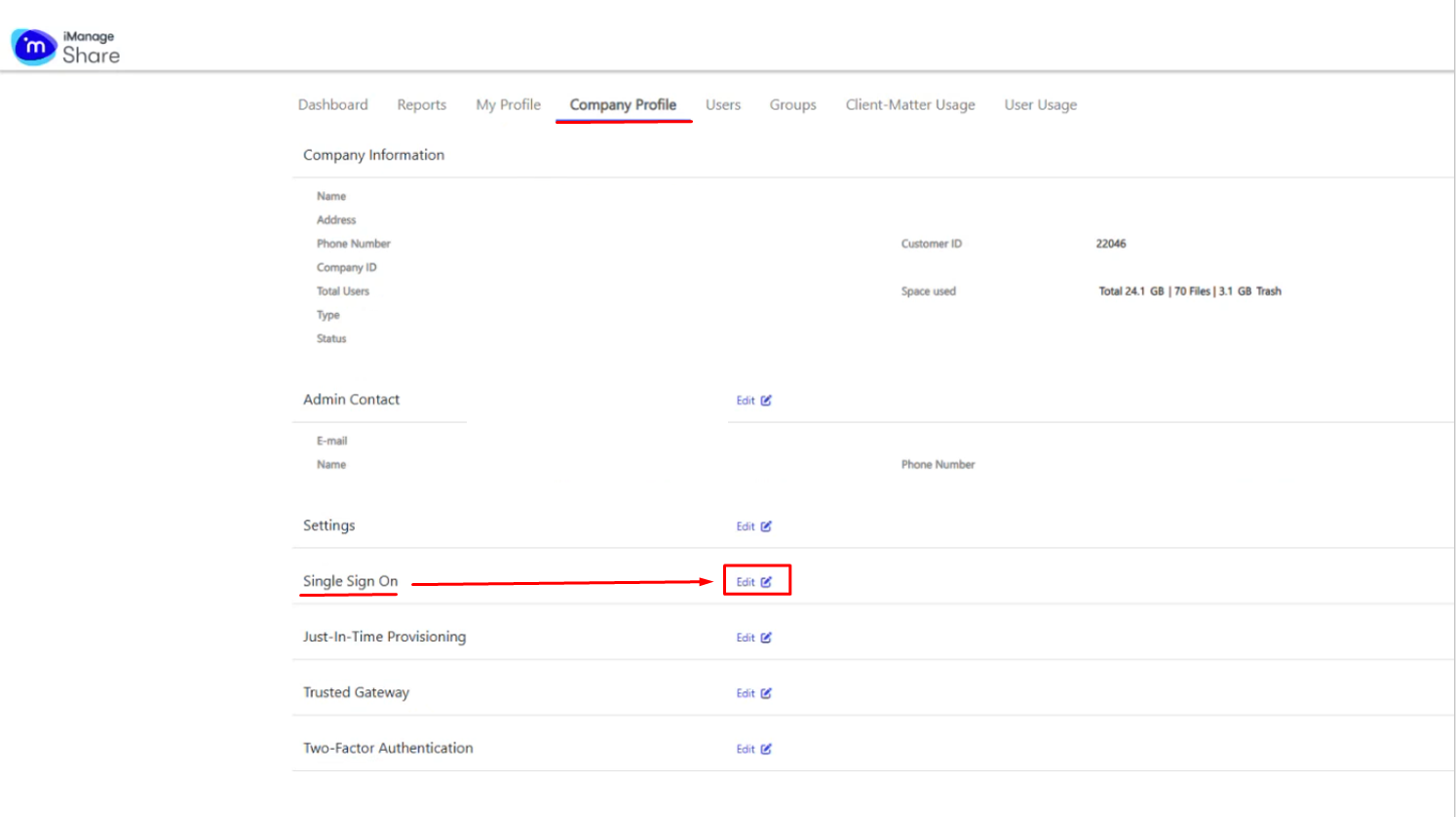
Select Company Profile.
Select Edit for Single Sign On.
Select the Enable check box.
Enter the required values for the following settings:
| Field | Value |
|---|---|
| Identity Provider URL | https://YourDualShieldFQDN:8074/sso/login/idpinitiated/kvps/DASApplicationName/iManageShare/SPName/iManageShare |
| Logout URL | https://imanageshare.com/ |
| Key (SAML) | Upload the IDP Certificate that you had downloaded from the DualShield Management Console |
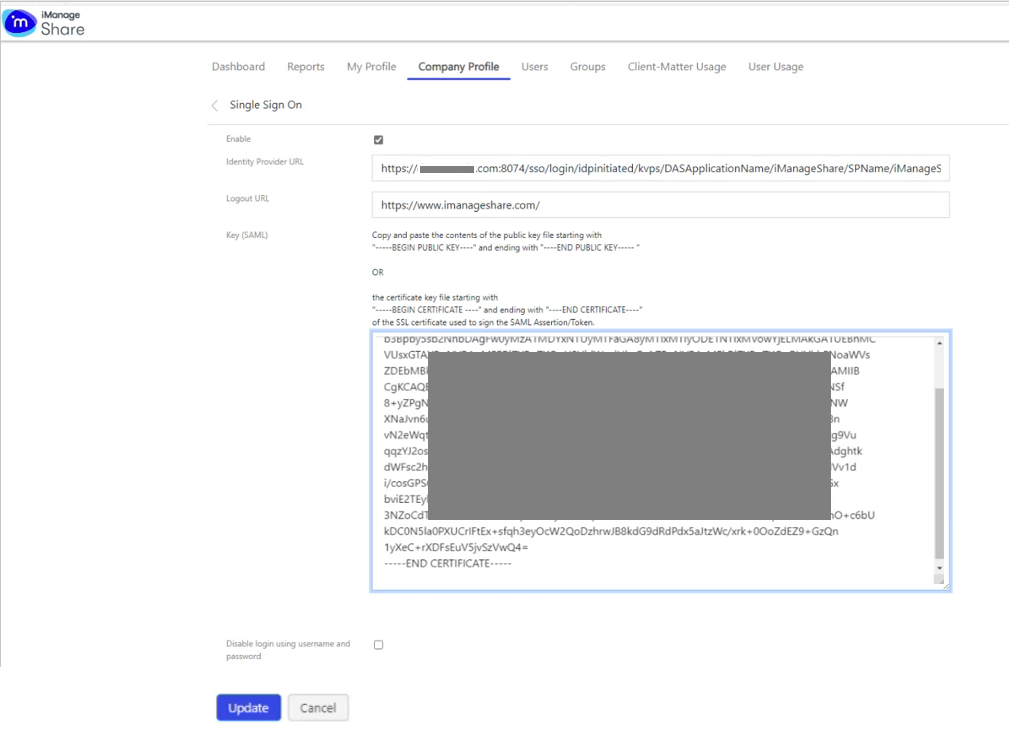
Click Update