Configure SAML Role Permission
Select your name to access the user menu at the top.
Select Settings.
Select Company Profile.
Select Edit for Single Sign On.
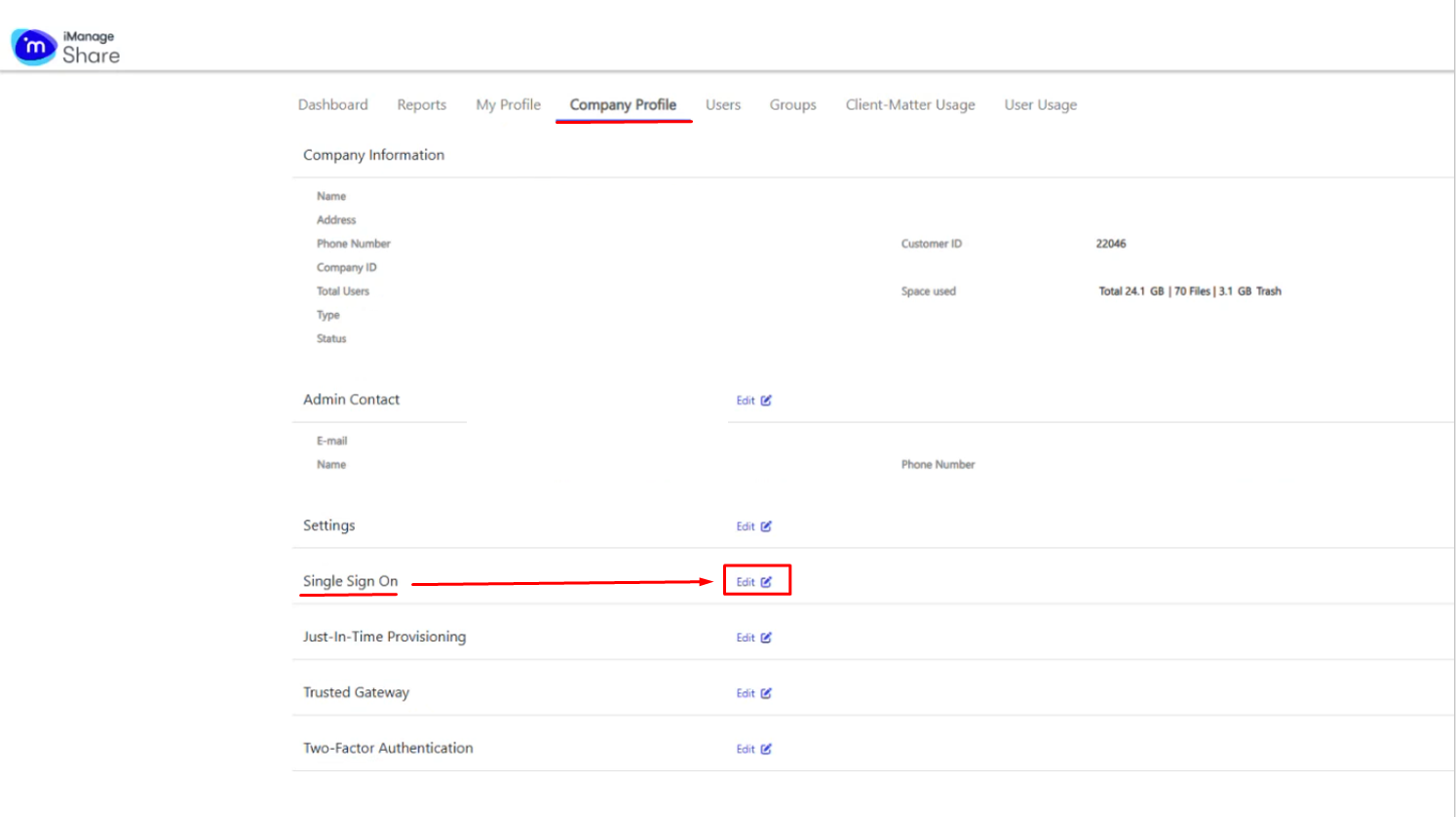
Upload the IDP metadata file that you had downloaded in the previous section Obtain the IDP Metadata File.

The fields regarding IDP Single Sign-On URL; SP Assertion and Certificate will auto populate.
Leave other settings such as NameID Format as default.
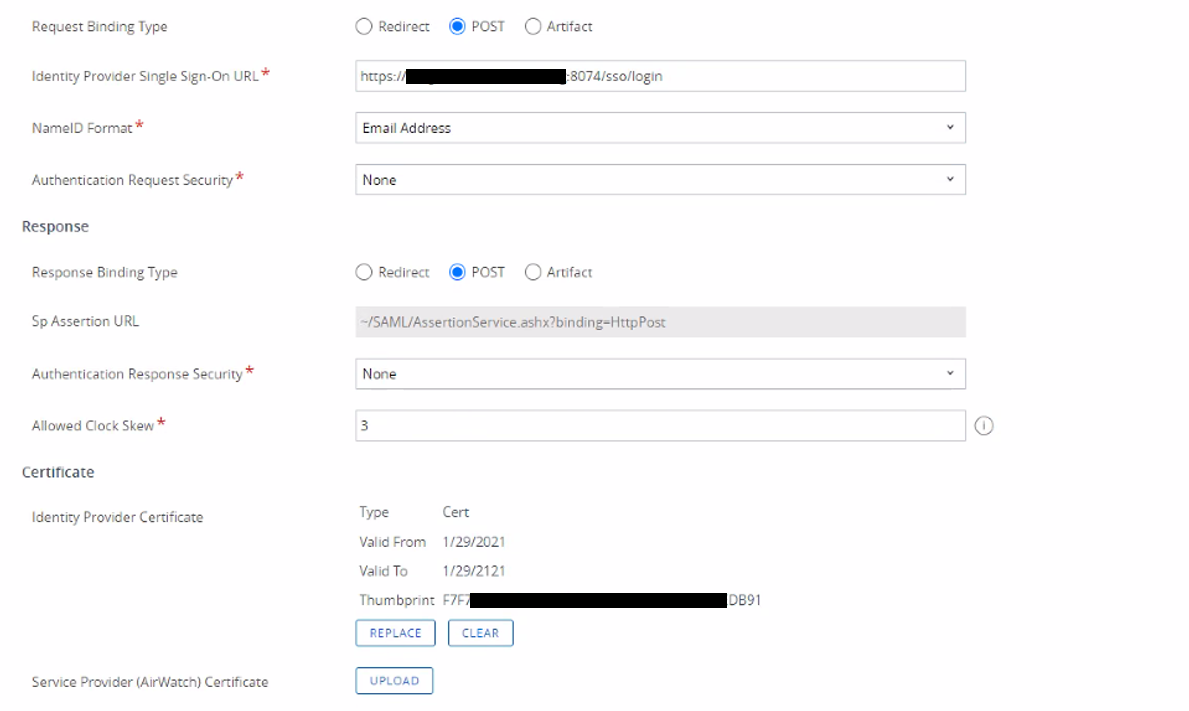
Configure SAML SSO:
Click on Export Service Provider Settings to download the SP metadata that you will edit and copy into DualShield.
