Set up DualShield Connection Server
In order to use the DeepNet Authenticator (DNA) app, you need to set up the DualShield Connection Server (DCS)
| Expand | ||||||
|---|---|---|---|---|---|---|
|
Configure Policy Settings
| Expand | ||||||
|---|---|---|---|---|---|---|
|
Customize Message Template
To allow users to self-activate their devices using the DeepNet Authenticator (DNA) app, you need to can customize the message template for device activationused by the DNA app.
| Expand | ||||||
|---|---|---|---|---|---|---|
|
...
Set up a Logon Procedure for Deepnet Authenticator
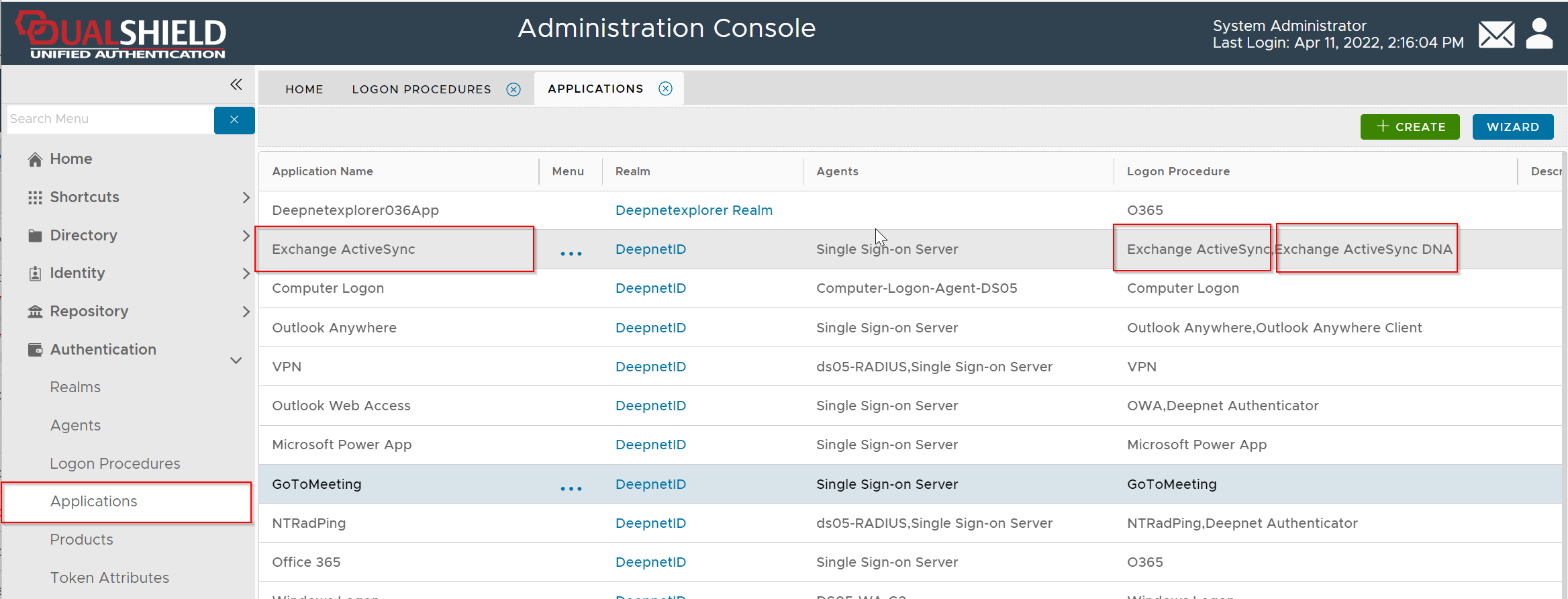
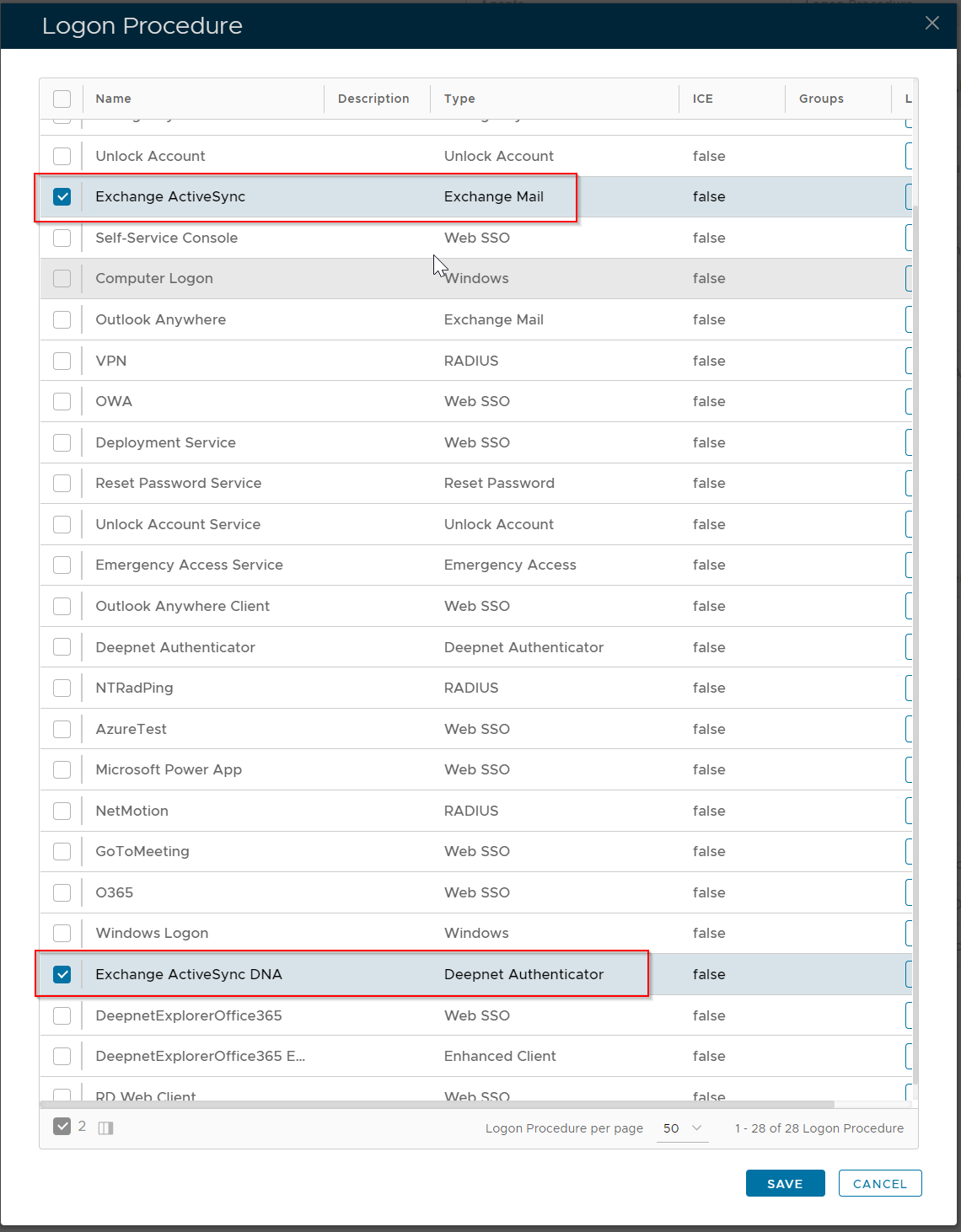
In order to use the Deepnet Authenticator, you need to create a new logon procedure of the type "Deepnet Authenticator" and attach it to the MFA application
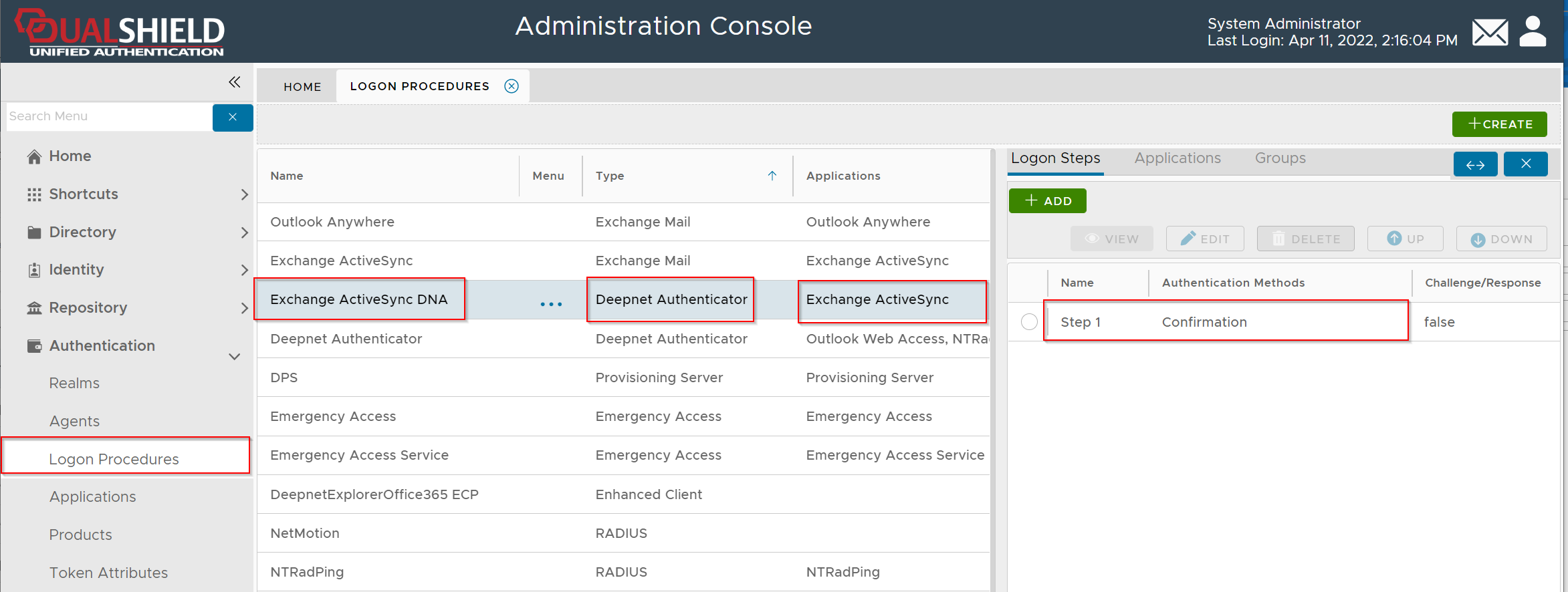
Therefore, the MFA application will have 2 logon procedures:
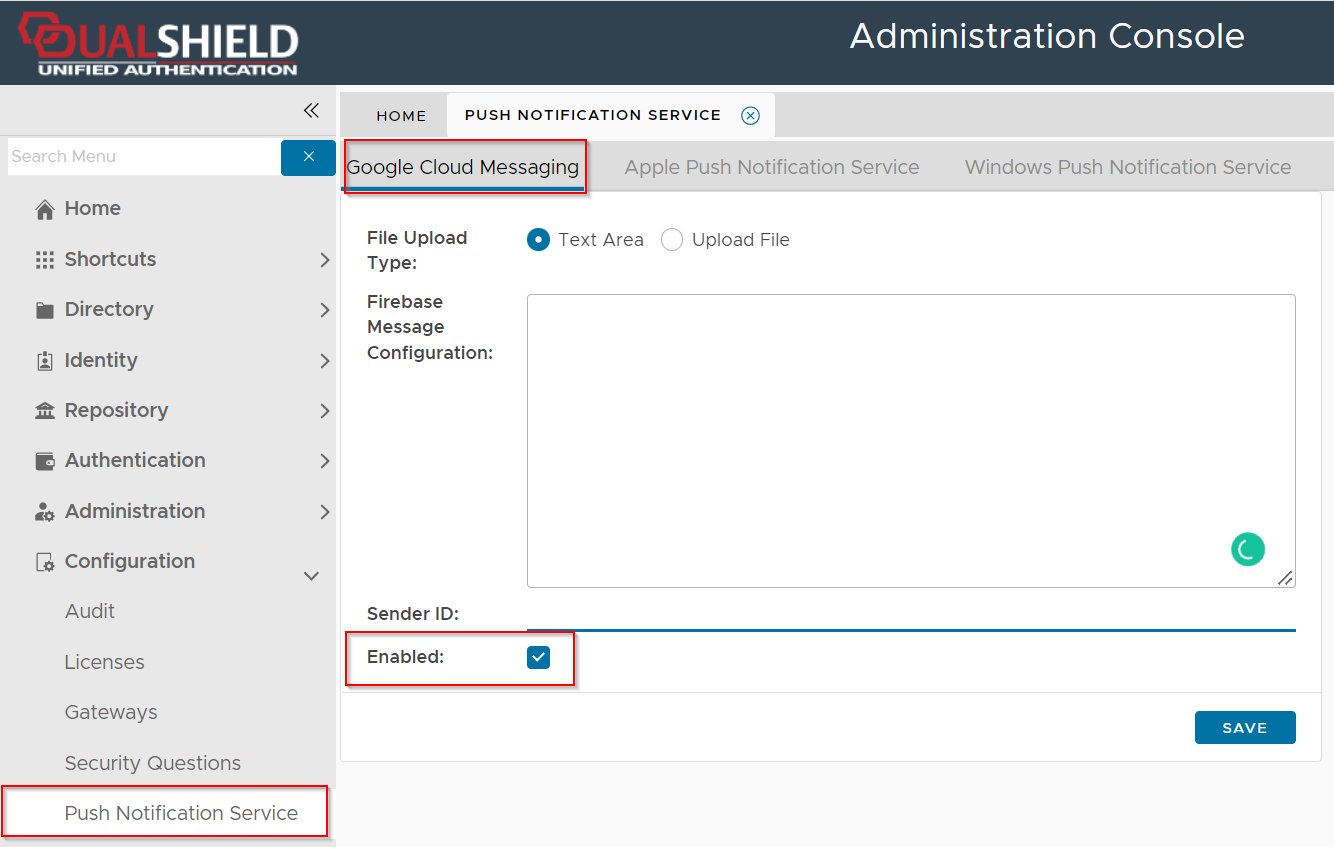
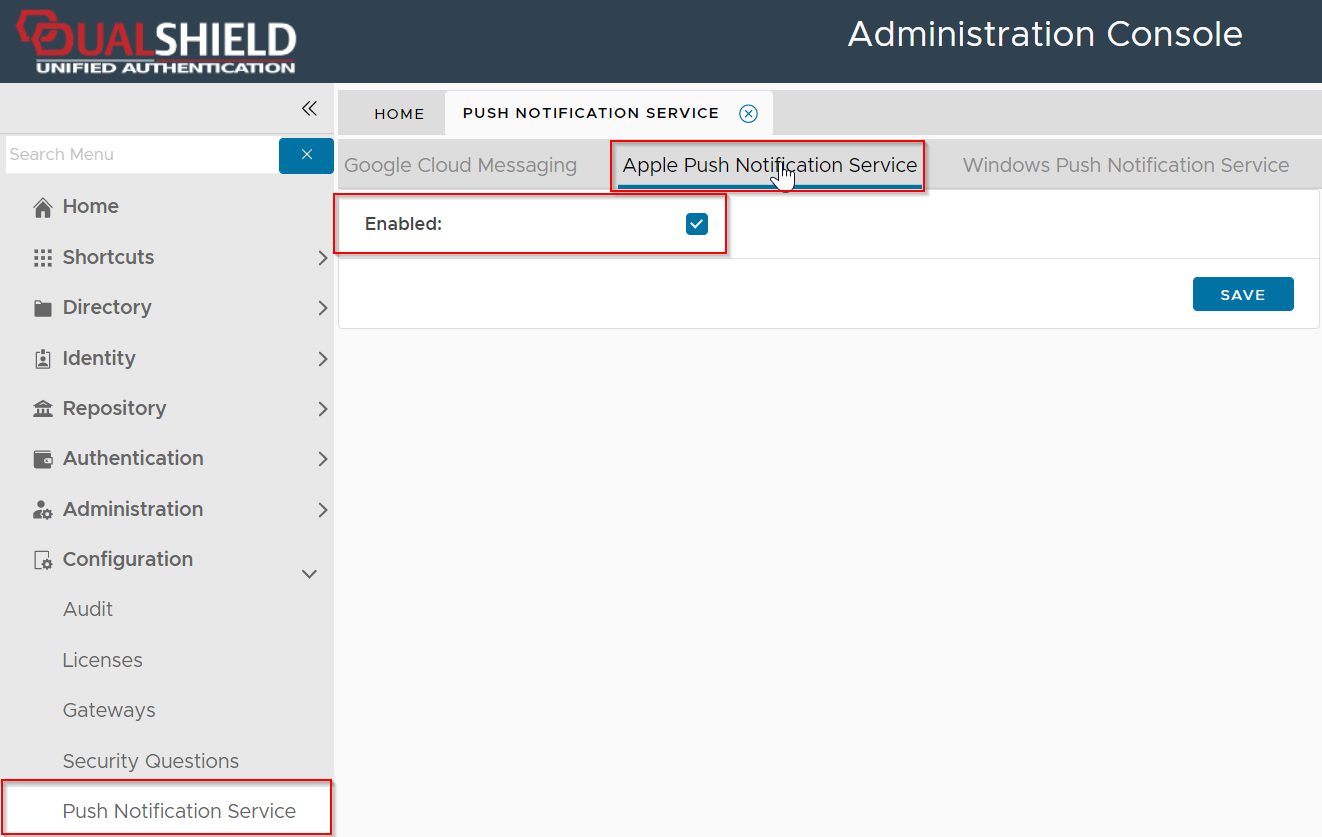
Enable Push Notification Service
Google Push Notification Service (Firebase Cloud Message) | Apple Push Notification Service |
|---|---|
|
|