Step 1: General
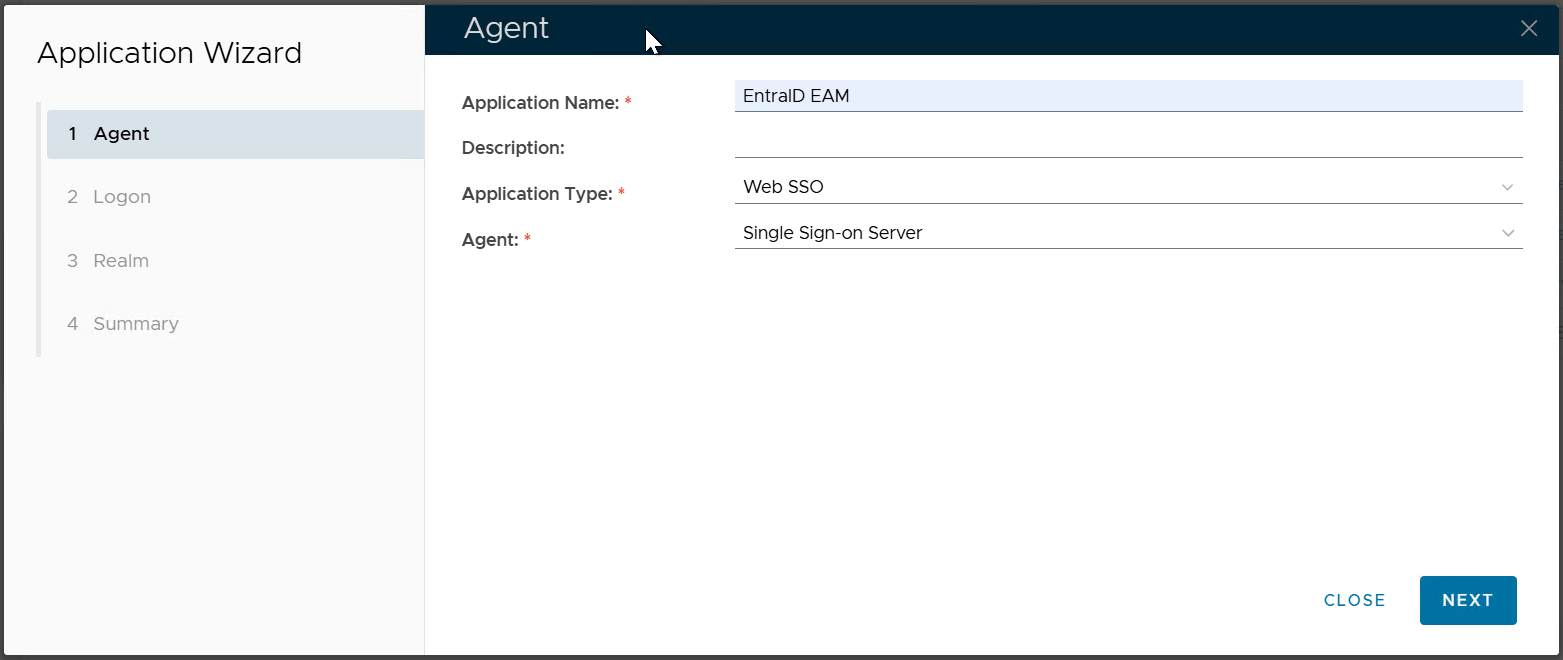
Enter the Application Name
Select the Application Type, e.g. "Web SSO"
Select the Agent where the application will be published
Click "NEXT"
Step 2: Logon Procedure
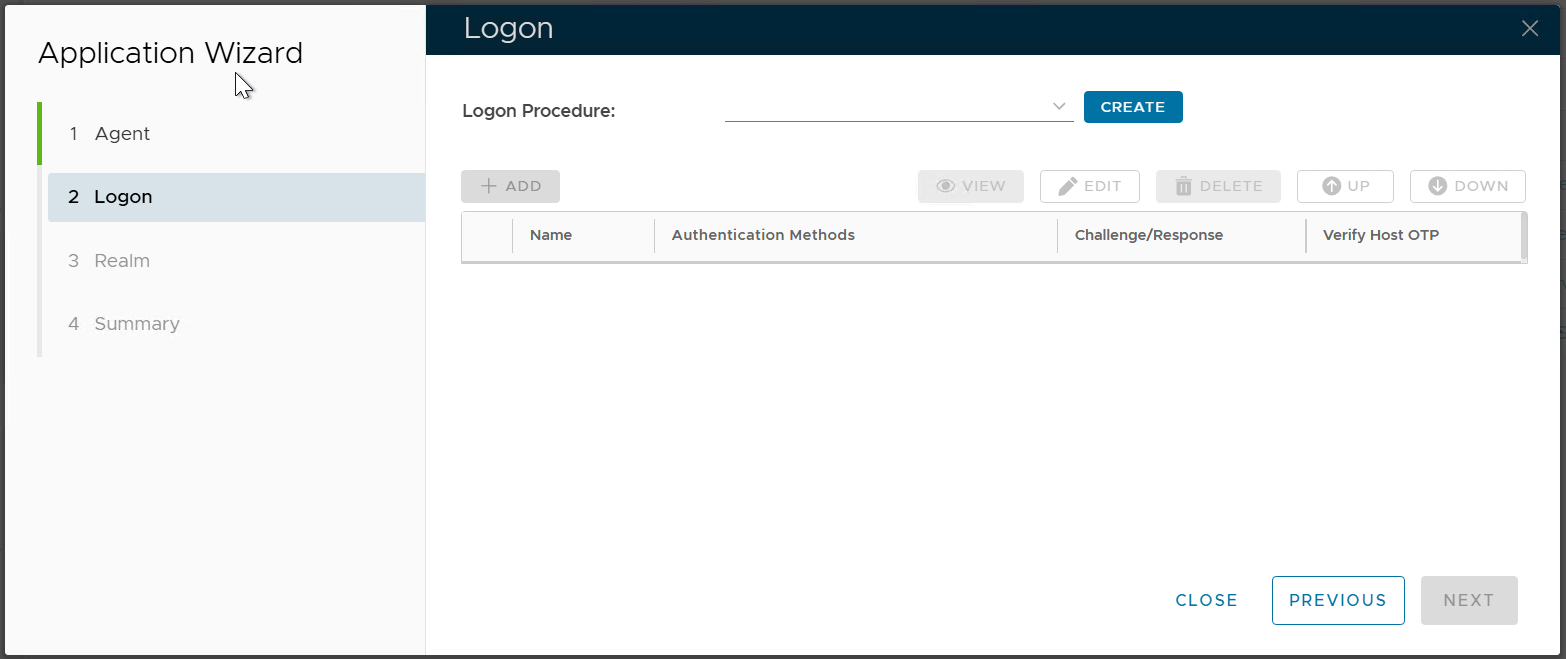
If you already have a Logon Procedure that you want to use, then select it.
Otherwise, click the "CREATE button to create a new logon procedure
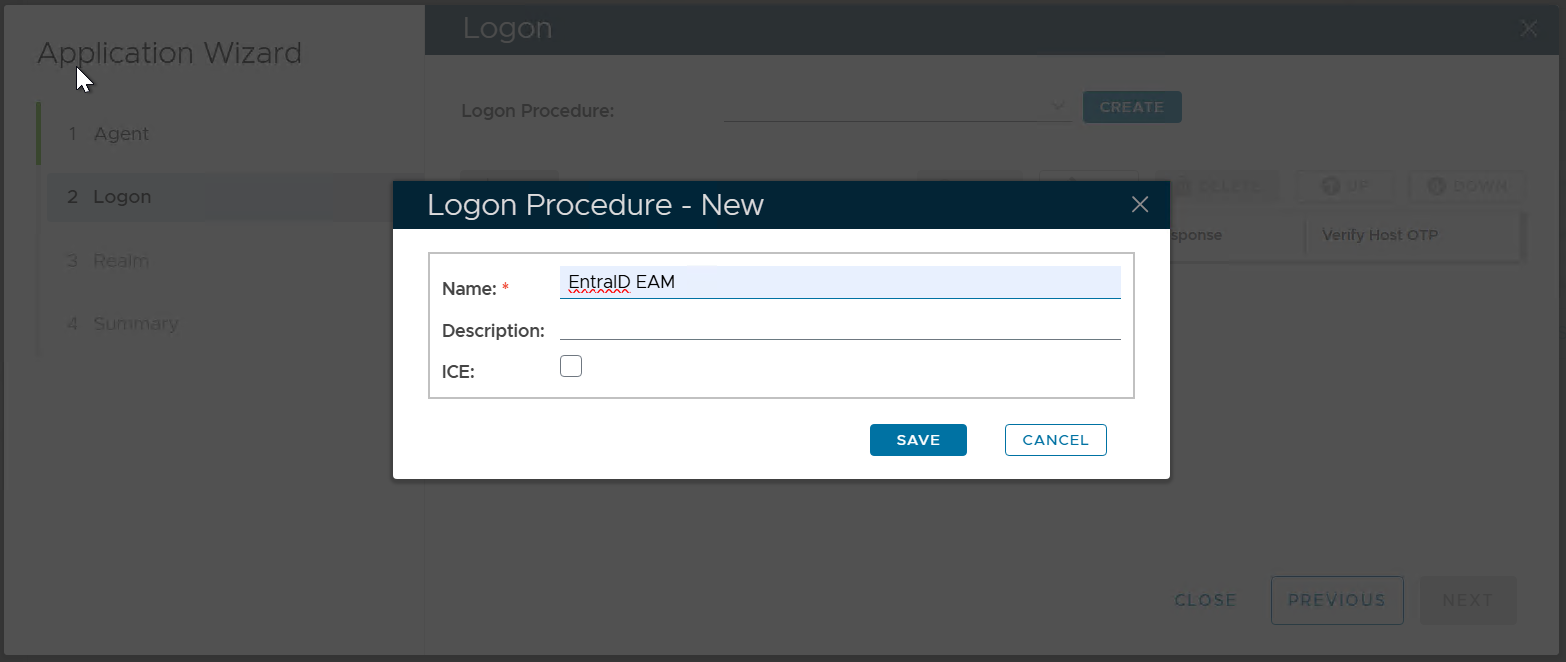
Enter the Name and click "SAVE"
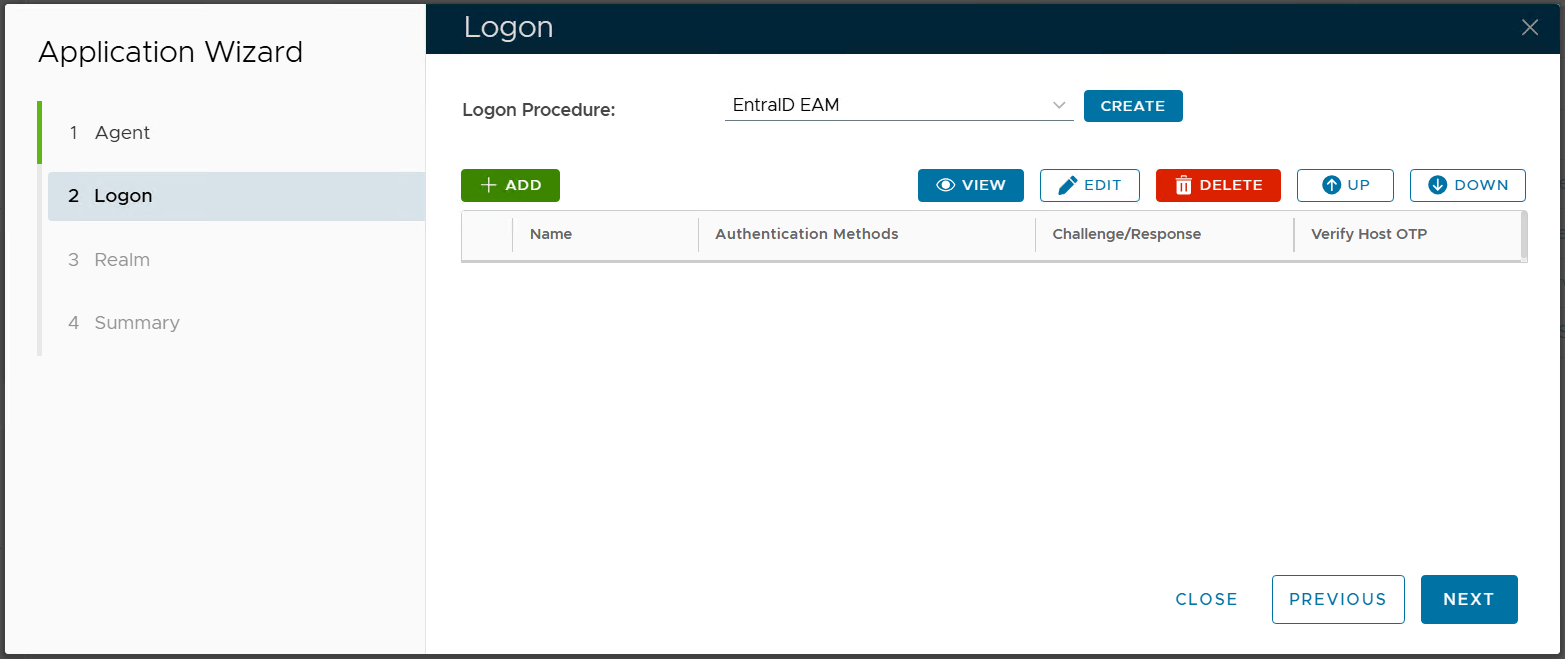
Select the newly created logon procedure, e.g. "Entra EAM"
Click the "ADD" button to add logon steps and methods as required or desired
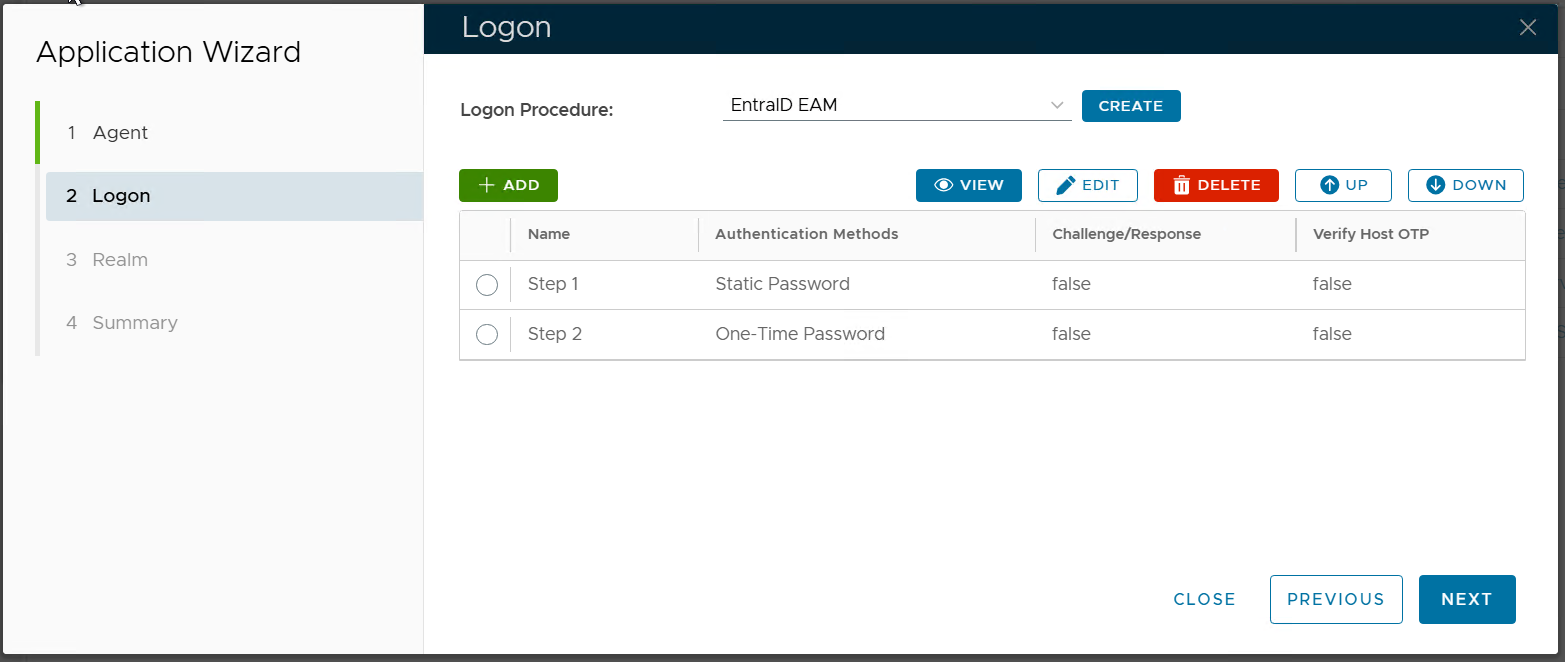
Click "NEXT
Step 3: Realm
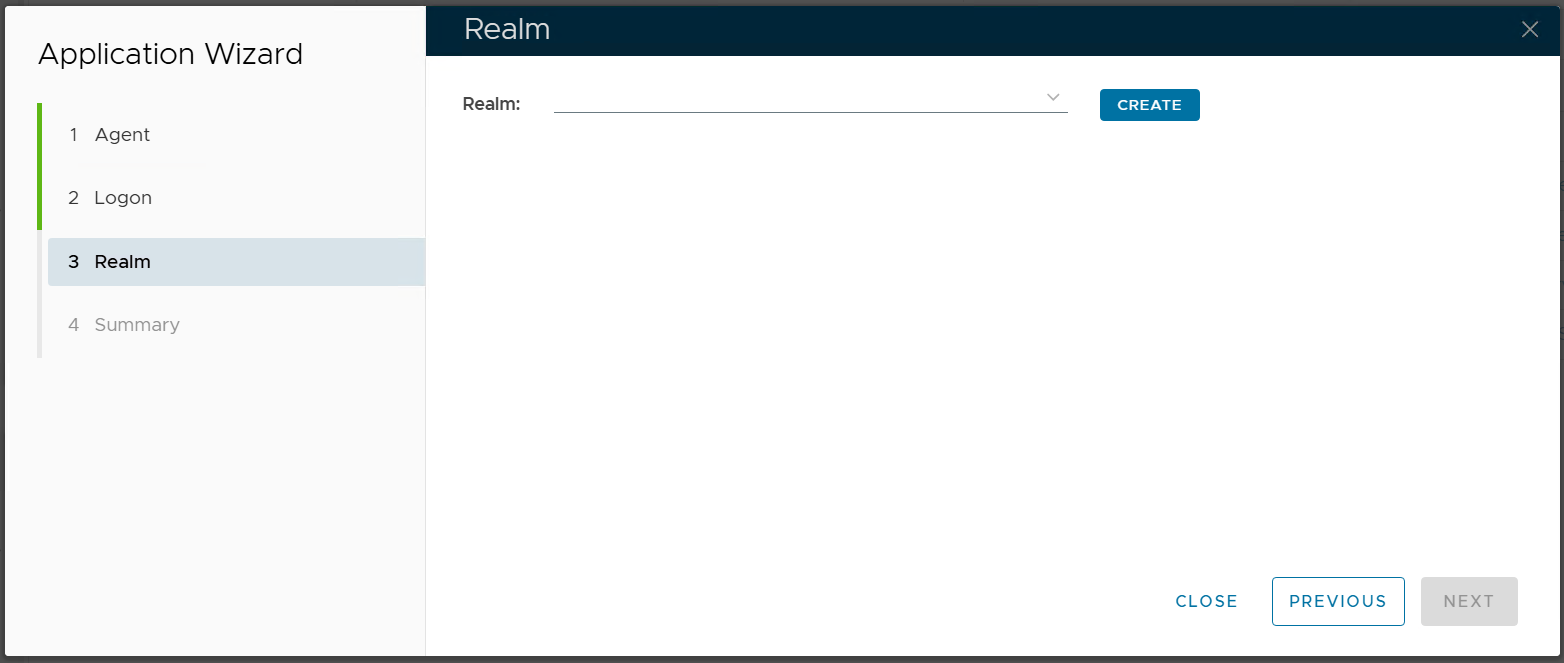
If you already have a realm that you want to use, then select it
Otherwise, click the "CREATE" button to create a new realm
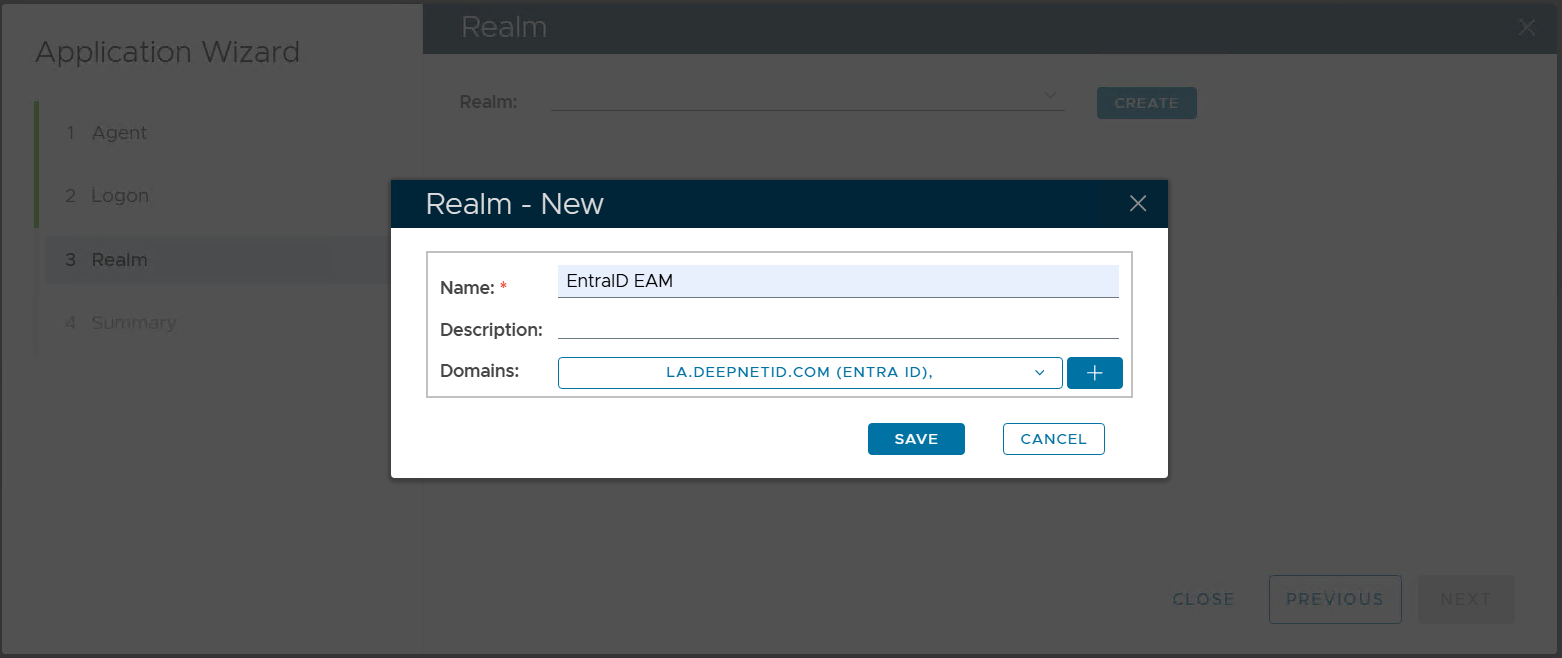
Enter the Name, and select the domains to be included in the realm.
Click "SAVE"
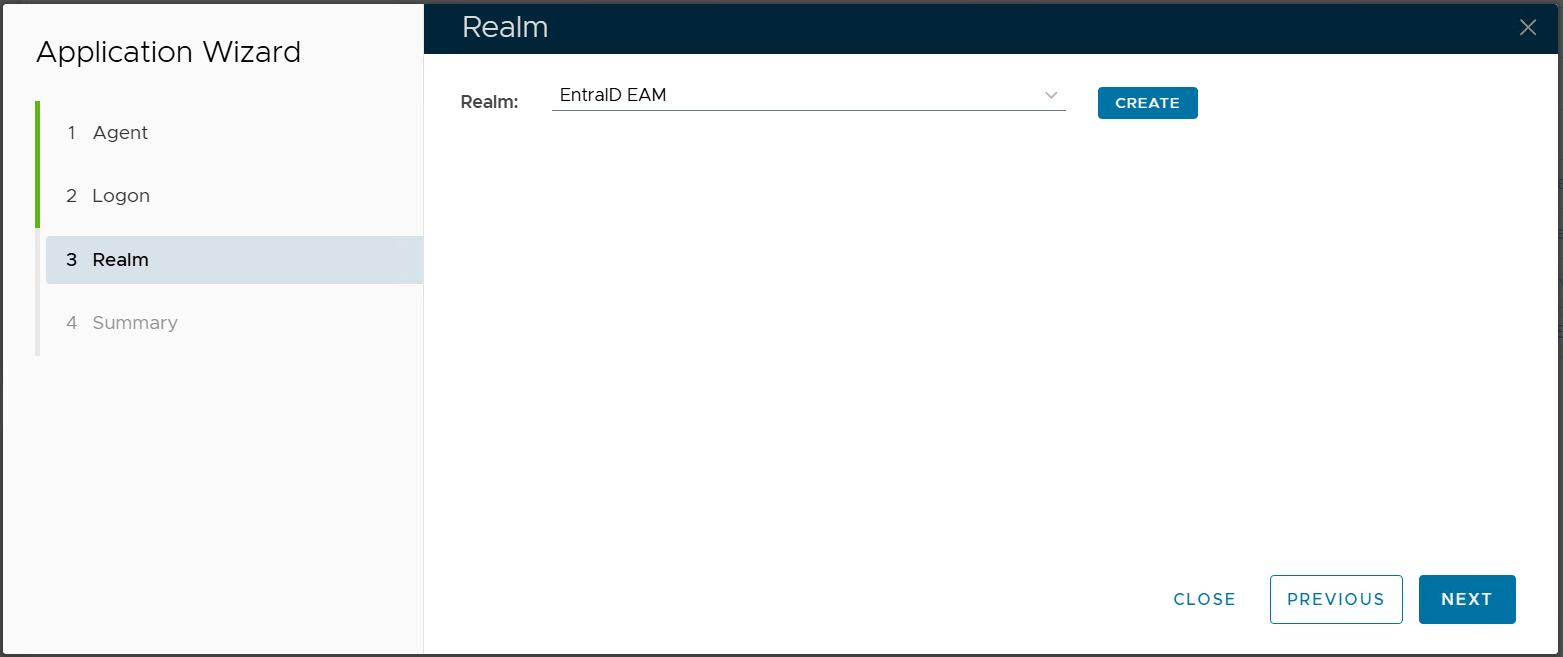
Select the newly created realm, e.g. "Entra EAM"
Click "NEXT"
Step 4: Summary
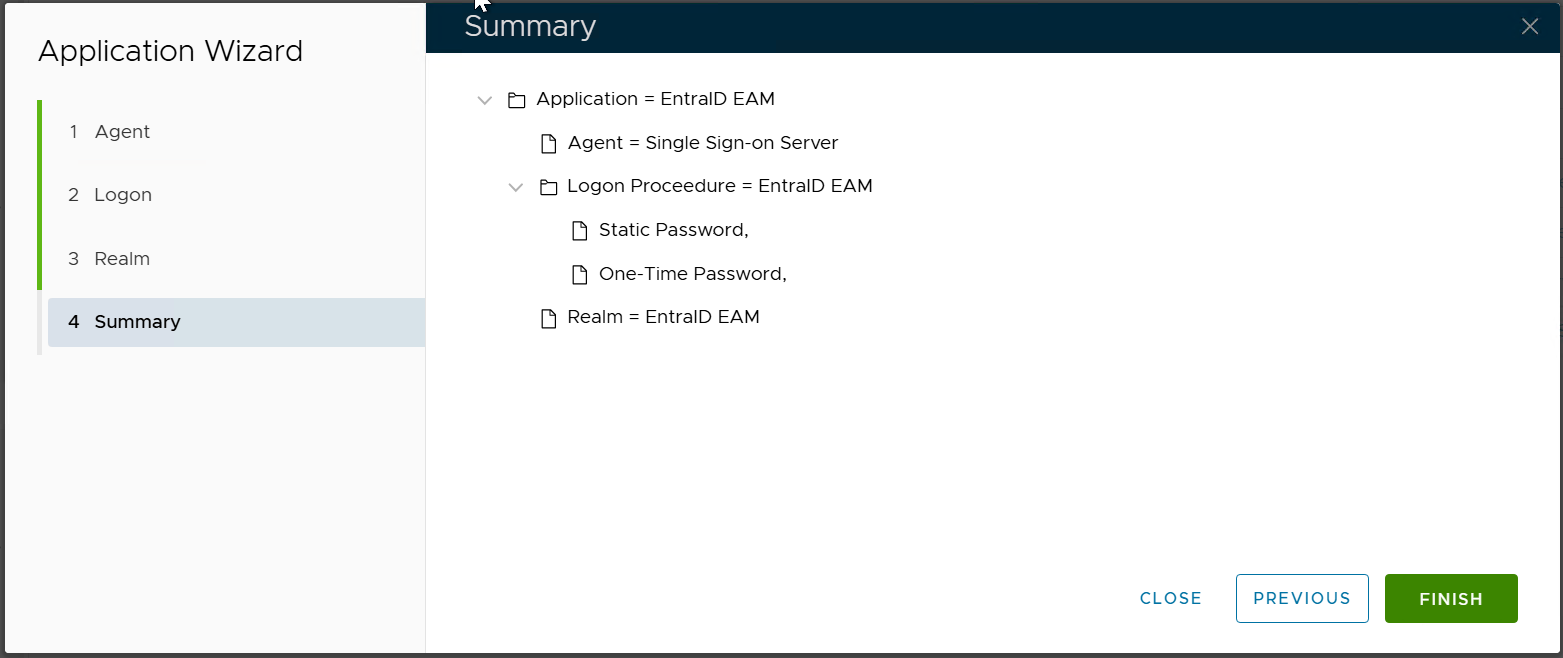
click "FINISH"