...
| border | true |
|---|
...
Select your name to access the user menu at the top.
Select Settings.
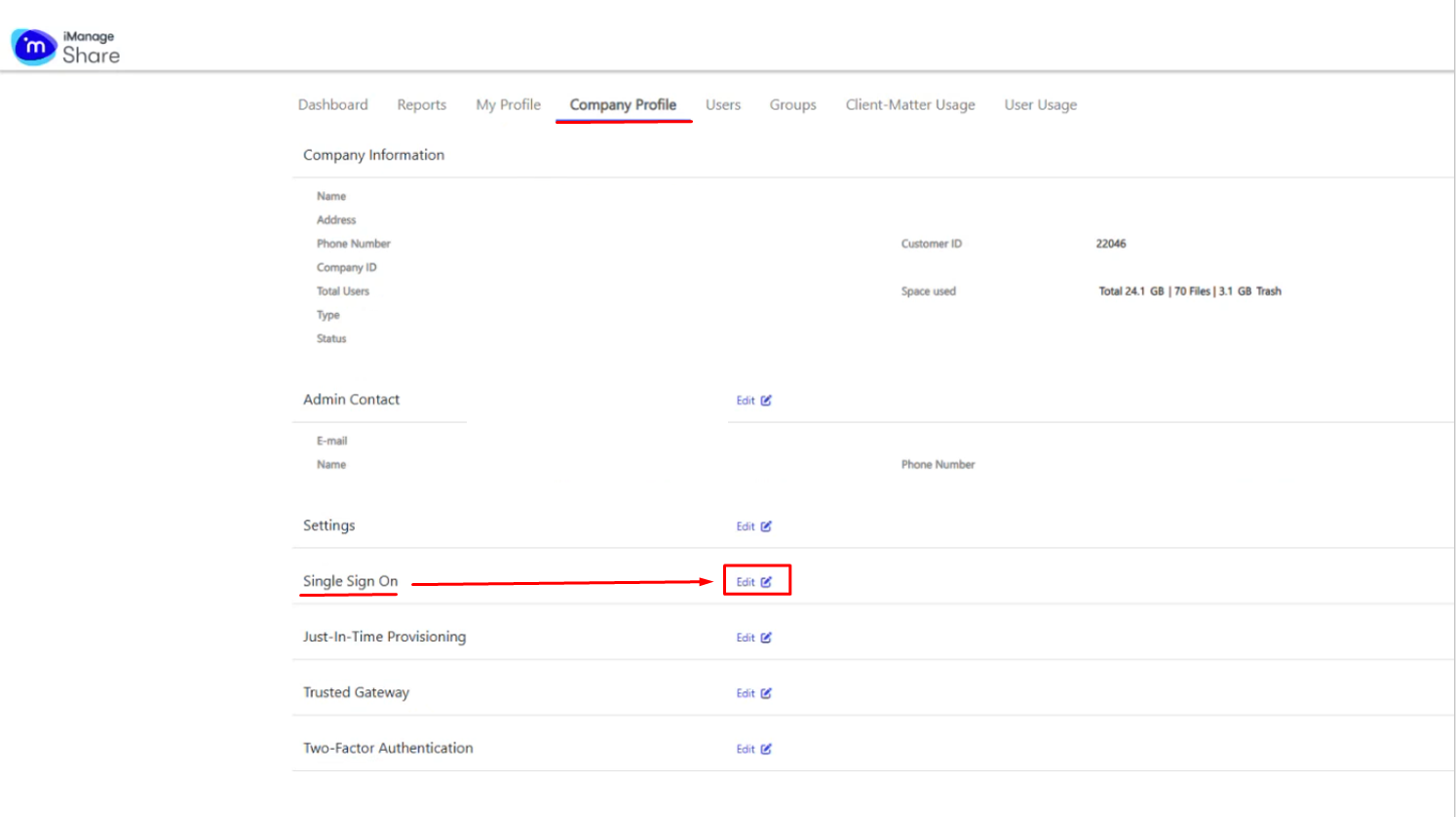
Select Company Profile.
Select Edit for Single Sign On.
...
| width | 50% |
|---|
...
Select the Enable check box and enter the required values for the following settings:
| Field | Value |
|---|---|
| Identity Provider URL | https://YourDualShieldFQDN:8074/sso/login/idpinitiated/kvps/DASApplicationName/iManageShare/SPName/iManageShare |
| Logout URL | https://imanageshare.com/ |
| Key (SAML) | Upload the IDP Certificate that you had downloaded from the DualShield Management Console |
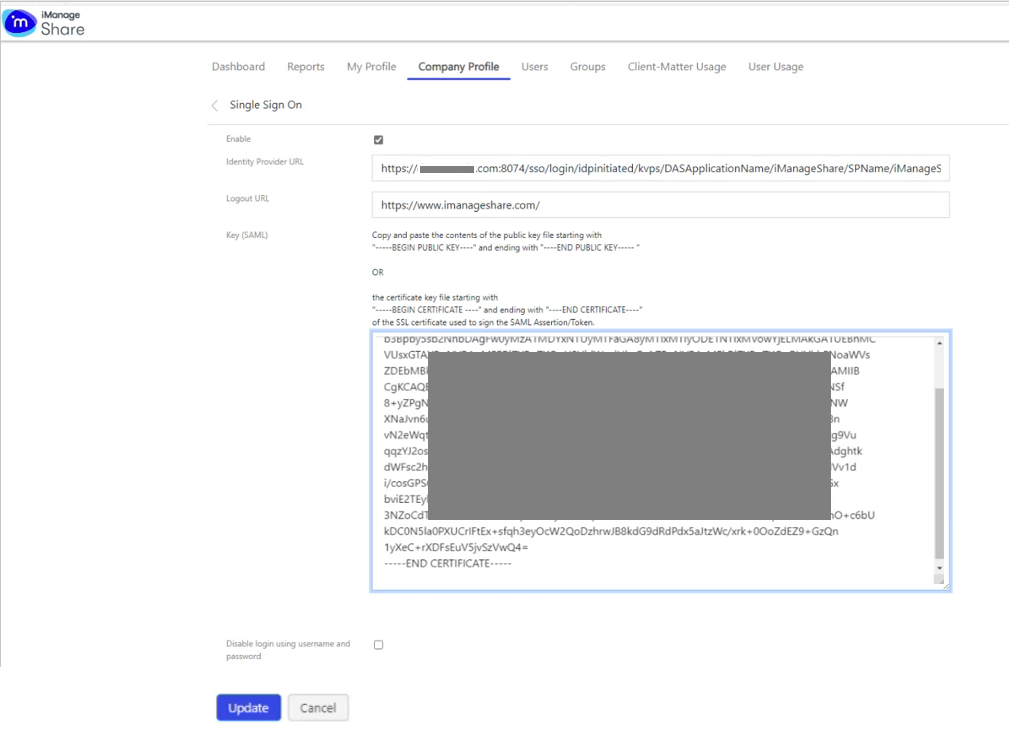
Click Update