...
| Section | ||||||||||||||||
|---|---|---|---|---|---|---|---|---|---|---|---|---|---|---|---|---|
| ||||||||||||||||
|
| Section | |||||||||||||||
|---|---|---|---|---|---|---|---|---|---|---|---|---|---|---|---|
| |||||||||||||||
| |||||||||||||||
| Section | |||||||||||||||
|

| Column |
|---|
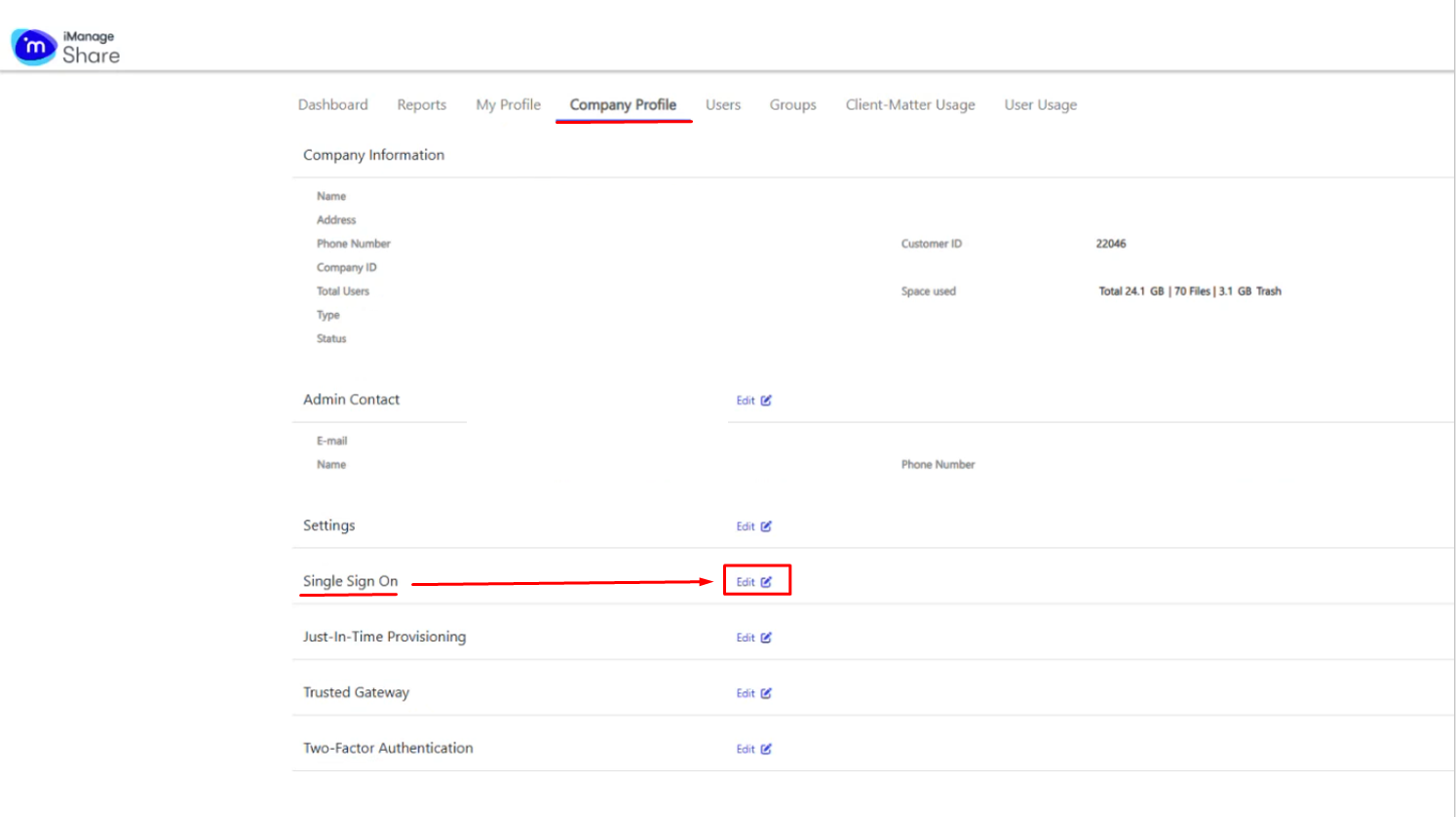
The fields regarding IDP Single Sign-On URL; SP Assertion and Certificate will auto populate. Leave other settings such as NameID Format as default. |
| width | 50% |
|---|
| Panel | ||||||
|---|---|---|---|---|---|---|
| ||||||
|
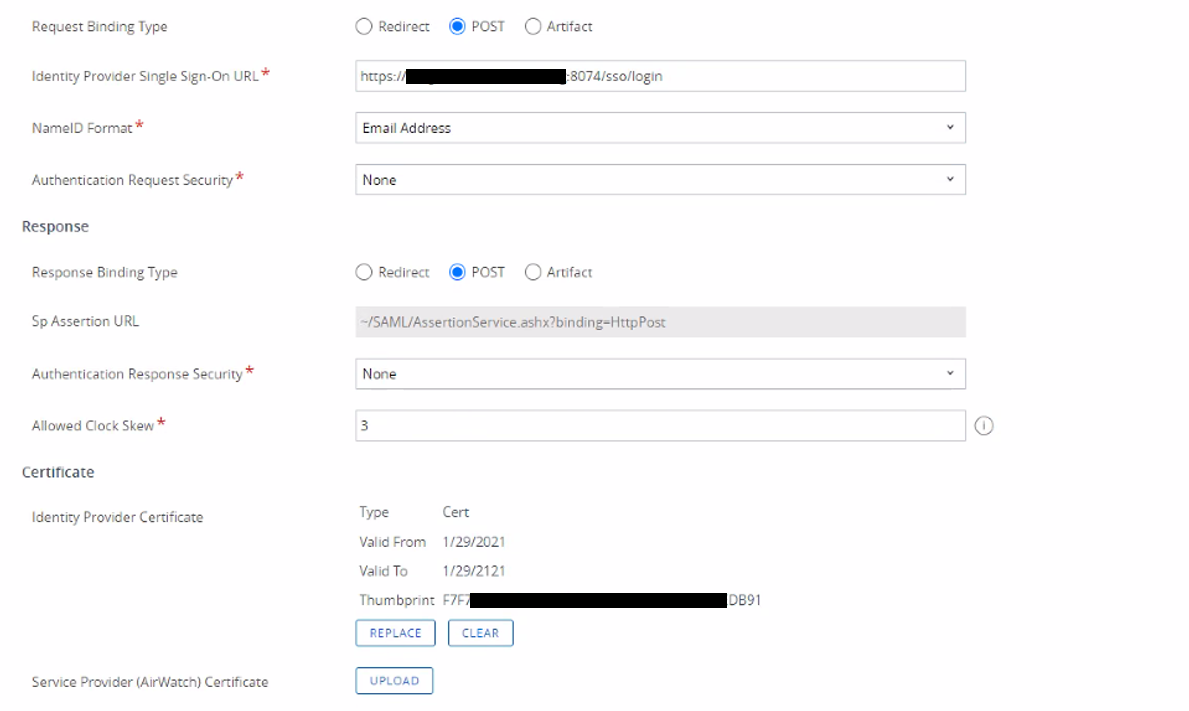
Configure SAML SSO:
| |||||||||||||||||
| Section | |||||||||||||||||
|---|---|---|---|---|---|---|---|---|---|---|---|---|---|---|---|---|---|
| |||||||||||||||||
|

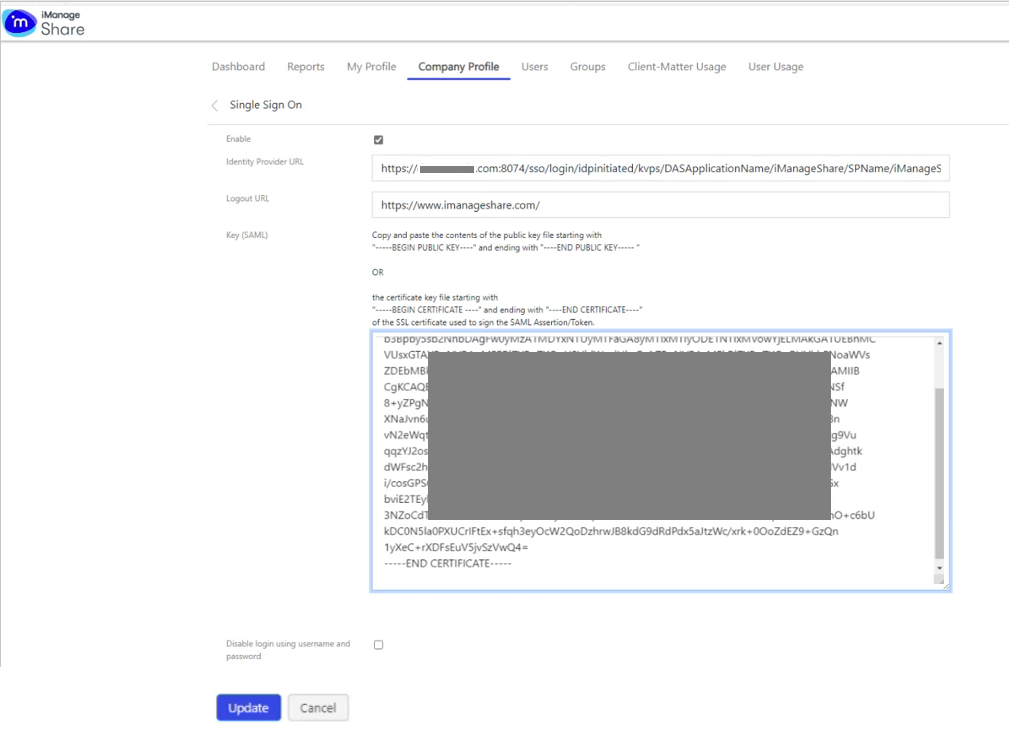
Click Update
...
| Section | ||||||||||||||||
|---|---|---|---|---|---|---|---|---|---|---|---|---|---|---|---|---|
| ||||||||||||||||
|
| Section | |||||||||||||||
|---|---|---|---|---|---|---|---|---|---|---|---|---|---|---|---|
| |||||||||||||||
| |||||||||||||||
| Section | |||||||||||||||
|
| Column |
|---|
The fields regarding IDP Single Sign-On URL; SP Assertion and Certificate will auto populate. Leave other settings such as NameID Format as default. |
| width | 50% |
|---|
| Panel | ||||||
|---|---|---|---|---|---|---|
| ||||||
|
Configure SAML SSO:
| |||||||||||||||||
| Section | |||||||||||||||||
|---|---|---|---|---|---|---|---|---|---|---|---|---|---|---|---|---|---|
| |||||||||||||||||
|
Click Update